
 Need help?
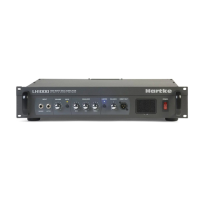
Do you have a question about the LH 1000 and is the answer not in the manual?
Describes how the section function divides working width into four equal sections to reduce measured area.
Procedure for encoding the working width of the implement in centimeters for accurate measurements.
Steps to measure and encode wheel circumference for accurate forward speed and area calculations.
Details on using the key for effective work time, starting, stopping, and resetting the counter.
Explanation of Trip and Total area counters, how they start/stop automatically, and reset.
How to display forward speed in km/h and indicators for sensor activation.
Conditions required to display RPM, including function set selection and sensor connection.
How to count units based on magnet passes, including conditions and resetting.
Displaying distance measured in meters, dependent on function set and wheel circumference encoding.
Guidance on fitting the monitor for optimal operator visibility while driving.
Instructions for connecting the monitor to a 12V power supply, including wire colors.
Best practices for routing and protecting cables to prevent damage and ensure safety.
Recommended placement and fitting of the wheel sensor and magnets for accurate readings.
Guidance on fitting the implement sensor and using electrical signals as an implement signal.
Steps to test wheel and implement sensor activation by entering a specific working width.
Explanation of the 'FEUL' error warning and its cause related to low supply voltage.
 General
| Response Time | 5 ms |
|---|---|
| Contrast Ratio | 1000:1 |
| Connectivity | VGA, HDMI |
| Display Type | LED |
| Input Ports | HDMI, VGA |

 To Next Page