
EasyManua.ls Logo

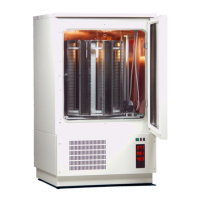
LiCONiC StoreX STX40 - User Manual

LiCONiC StoreX STX40
97 pages
Print Icon
To Next Page IconTo Next Page
Loading...
(217) 352-9330 | sales@artisantg.com | artisantg.com
-~
ARTISAN
®
~I
TECHNOLOGY
GROUP
Your
definitive source
for
quality
pre-owned
equipment.
Artisan Technology
Group
Full-service,
independent
repair
center
with
experienced
engineers
and
technicians
on staff.
We
buy
your
excess,
underutilized,
and
idle
equipment
along
with
credit
for
buybacks
and
trade-ins
.
Custom
engineering
so
your
equipment
works
exactly as
you
specify.
Critical
and
expedited
services
Leasing
/
Rentals/
Demos
In
stock/
Ready-to-ship
!TAR-certified
secure
asset
solutions
Expert
team
I
Trust
guarantee
I
100%
satisfaction
All
tr
ademarks,
br
a
nd
names, a
nd
br
a
nd
s a
pp
earing here
in
are
th
e property of
th
e
ir
r
es
pecti
ve
ow
ner
s.
Find the Liconic Instruments STX40-HC at our website: Click HERE

Table of Contents

Other manuals for LiCONiC StoreX STX40

Questions and Answers

  • J
    joshua20Aug 9, 2025
    What to do if LiCONiC StoreX STX40 Accessories instrument does not power up?
    • D
      Debra HallAug 9, 2025
      If your LiCONiC Accessories instrument doesn't power up, the green light on the power switch is off, and the handler isn't responding to external commands or reacting at all, start by ensuring the main switch at the rear of the instrument is turned on. Then, check the fuse and replace it if damaged (2AT). After that, inspect the voltage setting and the ON/OFF switch. If these steps don't resolve the issue, it could be due to an internal error, and you should call service personnel.
  • F
    Frank SmithAug 23, 2025
    How to troubleshoot LiCONiC StoreX STX40 handler that doesn’t react at all?
    • A
      Andre AtkinsAug 23, 2025
      If your LiCONiC Accessories instrument isn't responding at all, begin by checking the main switch on the rear side to ensure it's turned on. If the switch is on, examine the fuse and replace it if necessary. Also, verify the voltage setting and the ON/OFF switch. If the issue persists, it might stem from an internal error, requiring assistance from service personnel.

LiCONiC StoreX STX40 Specifications

General IconGeneral
BrandLiCONiC
ModelStoreX STX40
CategoryAccessories
LanguageEnglish