Quick Guide for App Using
For Wifi-version C30B only
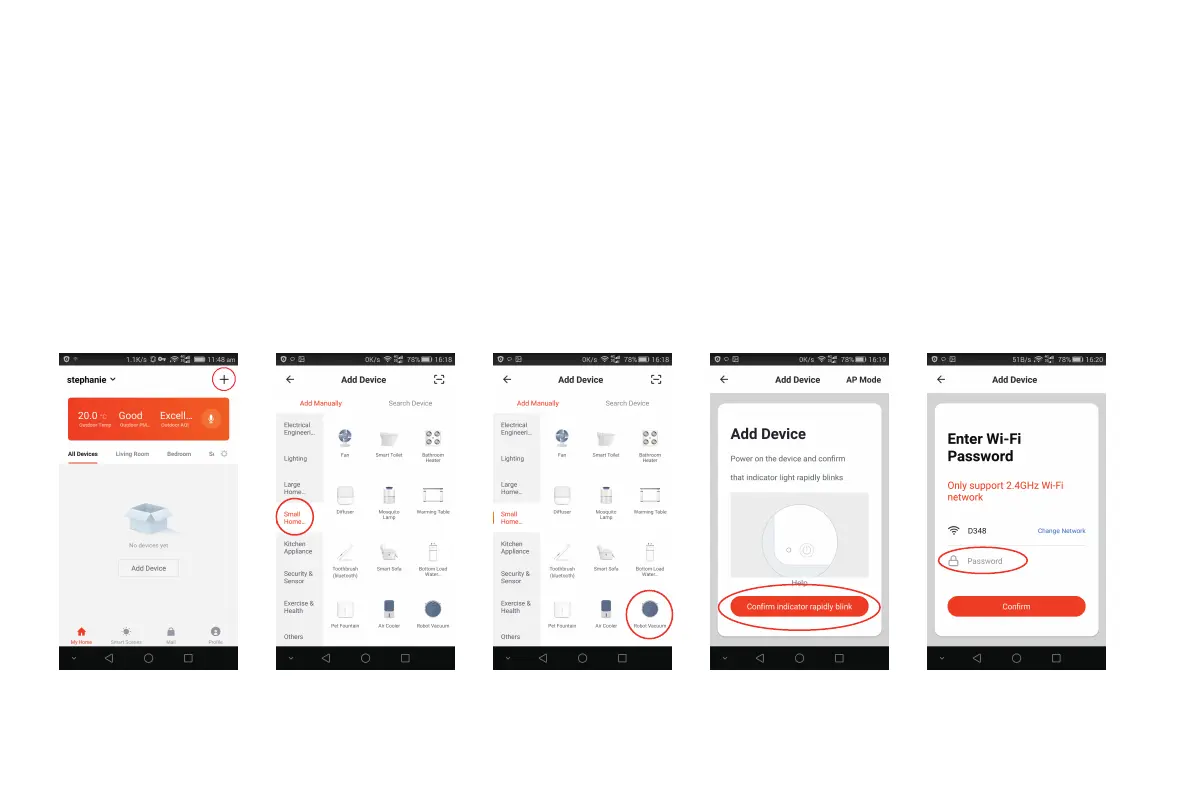
Tap + on the top right corner to add device [Fig 6]; Tap Small Home Appliance [Fig 7]; Choose Robot Vacuum [Fig 8]; Click Confirm
indicator rapidly blink [Fig 9];
Type your WIFI Password [Fig 10] and start device connection [Fig 11]; Adding device succeeded [Fig 12].
Fig 06 Fig 07 Fig 08 Fig 09 Fig 10
3



 To Next Page