Quick Guide for App Using
1. App Downloading
For Wifi-version C30B only
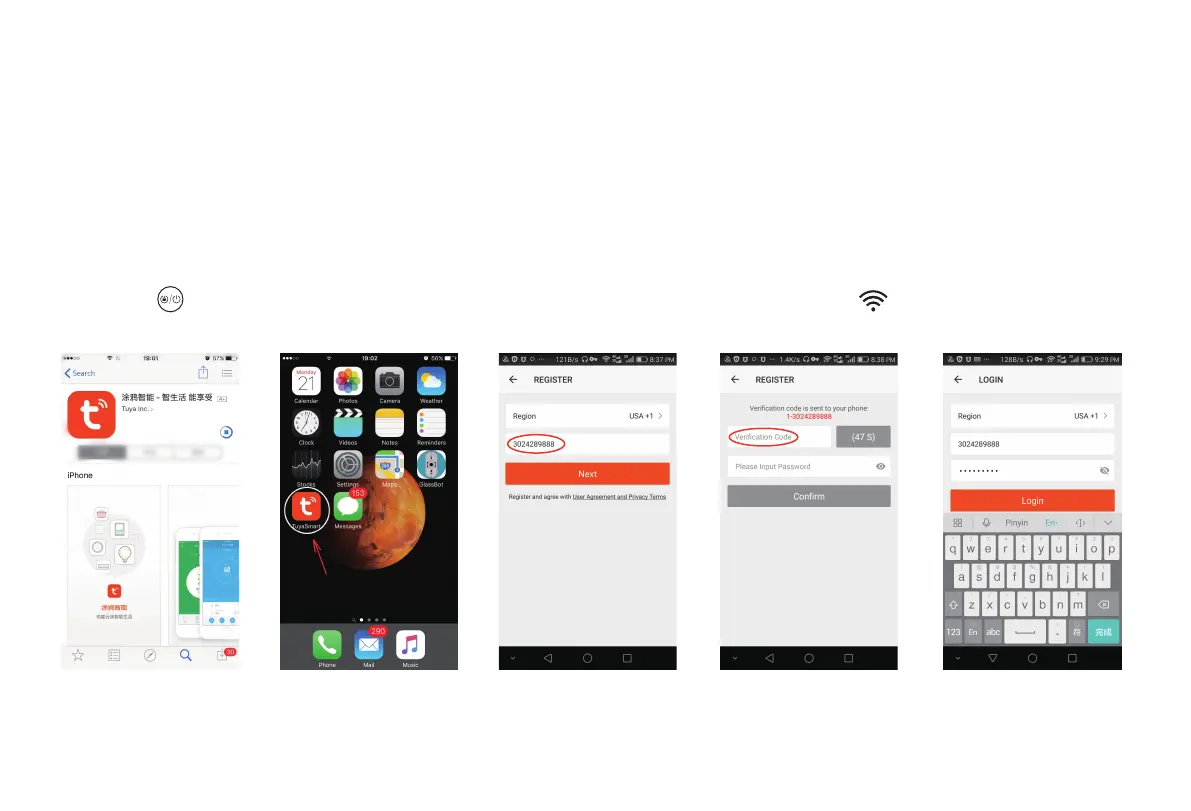
Search “Tuya” from your APPSTORE or google play; download the APP [Fig 1]; Open “Tuya” on your cellphone after download
[Fig 2]; Register an account via email or cell phone number [Fig 3] (tap the right Verification Code and Set up a password for your
Tuya ID [Fig 4]); Login with account and password [Fig 5].
Fig 01 Fig 02 Fig 03 Fig 04 Fig 05
***Important***: Before WIFI connection, turn on the robot; After the voice prompts “Welcome to use sweeping robot”, please press the
start button continuously twice, then the voice prompts “connecting network”, and the WIFI icon begins to flash constantly;
Your robot is initialized.
2



 To Next Page