EasyManua.ls Logo

Life Optimo OP5 UNI - User Manual

Default Icon
11 pages
Print Icon
To Next Page IconTo Next Page
Loading...
Page 1
VERSIONE 29052008
OP3-OP5
INSTRUCTIONS AND WARNINGS FOR INSTALLATION, USE AND MAINTENANCE
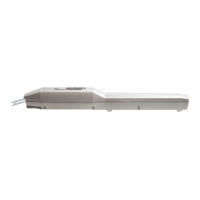
LINEAR ELECTROMECHANICAL OPERATOR FOR SWING GATES
Question and Answer IconNeed help?

Do you have a question about the Life Optimo OP5 UNI and is the answer not in the manual?

Summary

Technical Features

Installation

Limits of Use

Defines gate type, height, shape, and climate condition limits for installation.

Typical Installation

Describes installation scenarios for two-leaf and one-leaf gate systems.

Bracket Positioning and Adjustment

Details positioning of operator's rear and front brackets and stop plate adjustment.

Operator and Stop Plate Adjustment

Guides on adjusting operator position and stop plates for gate movement.

Operator Release

Explains the procedure for releasing the operator for manual leaf movement.

Wiring and Connections

Electrical Connections

Details electrical connections for various operator models and power supplies.

Manufacturers Declaration of Conformity

Summary

Technical Features

Installation

Limits of Use

Defines gate type, height, shape, and climate condition limits for installation.

Typical Installation

Describes installation scenarios for two-leaf and one-leaf gate systems.

Bracket Positioning and Adjustment

Details positioning of operator's rear and front brackets and stop plate adjustment.

Operator and Stop Plate Adjustment

Guides on adjusting operator position and stop plates for gate movement.

Operator Release

Explains the procedure for releasing the operator for manual leaf movement.

Wiring and Connections

Electrical Connections

Details electrical connections for various operator models and power supplies.

Manufacturers Declaration of Conformity

Life Optimo OP5 UNI Specifications

General IconGeneral
BrandLife
ModelOptimo OP5 UNI
CategoryGarage Door Opener
LanguageEnglish

Related product manuals