EasyManua.ls Logo

LifeFitness DISCOVER SE3 - User Manual

LifeFitness DISCOVER SE3
77 pages
Print Icon
To Next Page IconTo Next Page
Loading...
Operation Manual
1003828-0001 REV AC
Elevation Series
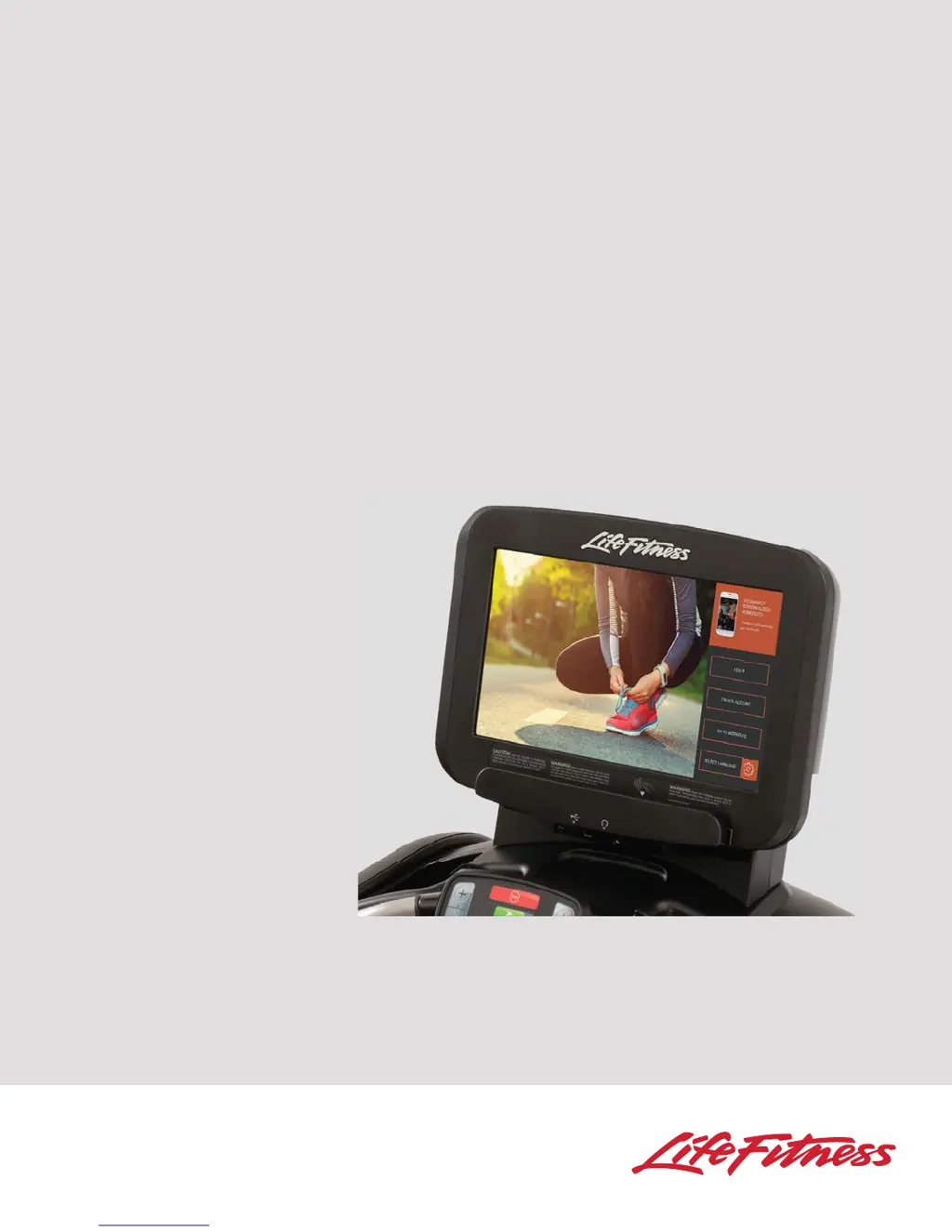
DISCOVER SE3 TABLET CONSOLE
Treadmill
Cross-Trainer
Upright and Recumbent Lifecycle® Exercise Bikes
FlexStrider™ Variable-Stride Trainer
PowerMill™ Climber
GSC Trainer™

Questions and Answers

  • P
    patrick73Aug 13, 2025
    How to fix LifeFitness DISCOVER SE3 Fitness Electronics when there is no power?
    • M
      Maria CantrellAug 13, 2025
      If your LifeFitness Fitness Electronics has no power, first ensure the ON/OFF switch is in the ON position. Then, verify that the treadmill is plugged into a dedicated 20 amp circuit and check the power outlet with a voltmeter, resetting the circuit breaker if necessary. Inspect the line cord for damage, replacing it if needed, and ensure it's properly seated in the socket. Also, the unit may be in 'Energy Saving Mode'; step on the treadmill belt or pedal until you hear a beep to wake up the console. Waking up the treadmill takes approximately 50 seconds.
  • G
    Gary TranAug 17, 2025
    Why are heart rate readings abnormally elevated on LifeFitness DISCOVER SE3 Fitness Electronics?
    • K
      Kyle CastanedaAug 17, 2025
      If the heart rate readings on your LifeFitness Fitness Electronics are abnormally elevated, electromagnetic interference might be the reason. This can be caused by devices like TVs, antennas, cell phones, computers, cars, high voltage power lines, motor-driven exercise equipment, or another heart rate transmitter nearby. To resolve this, move the fitness equipment a few inches away from the suspected source of interference, or vice versa, until the heart rate readings become accurate.
  • R
    regina41Aug 20, 2025
    Why is the maximum treadmill speed reduced on LifeFitness DISCOVER SE3?
    • S
      Spencer LeAug 21, 2025
      If the maximum speed of your LifeFitness treadmill is reduced, it could be due to several reasons. First, make sure the user isn't pushing or stalling the striding belt. Also, insufficient power source may be the reason. Ensure the treadmill is plugged into a dedicated 20 amp circuit. If the issue persists, there may be striding belt/deck malfunctions, in that case it should be replaced. Contact Life Fitness Customer Support Services.
  • A
    Allison CraigAug 28, 2025
    How to fix treadmill striding belt slips off-center on LifeFitness DISCOVER SE3 Fitness Electronics?
    • M
      Mark CookeAug 28, 2025
      If the striding belt slips off-center on your LifeFitness treadmill, it might be due to an uneven floor surface. Check the levelers and level the treadmill accordingly. Also, inspect the striding belt and re-tension it if necessary.
  • D
    Dustin ThorntonSep 1, 2025
    What to do if rubbing sound comes from underneath LifeFitness Fitness Electronics treadmill?
    • D
      David AcostaSep 1, 2025
      If you hear a rubbing sound coming from underneath your LifeFitness treadmill, it's possible that foreign objects are stuck underneath the machine. Inspect underneath the striding belt and the machine itself, and remove any debris or objects that may be causing interference.
  • J
    joseph59Sep 5, 2025
    Why heart rate reading is lost on LifeFitness DISCOVER SE3?
    • J
      Jill StevensonSep 5, 2025
      If the heart rate reading on your LifeFitness Fitness Electronics is initially detected and functioning normally but then is lost, it may be due to interference from personal electronic devices like cell phones and portable MP3 players. Try removing the source of noise or repositioning the exercise equipment to minimize the interference.
  • T
    Tara MyersSep 8, 2025
    What to do if display does not illuminate on LifeFitness DISCOVER SE3?
    • D
      Daniel RobinsonSep 8, 2025
      If the display does not illuminate when your LifeFitness Fitness Electronics machine is powered on, it may be due to a loose connection at the display console or motor control board. Check all electrical connections to ensure they are properly attached. Contact Life Fitness Customer Support Services.
  • C
    Craig WilliamsNov 23, 2025
    What to do if heart rate reading is erratic on LifeFitness Fitness Electronics?
    • D
      Donna CoxNov 23, 2025
      If your LifeFitness Fitness Electronics heart rate reading is erratic or absent, ensure the belt transmitter electrodes are adequately wet; if not, wet them. Also, make sure the belt transmitter electrodes are laying flat against the skin. Clean the belt transmitter with mild soap and water if needed. Ensure the belt transmitter is within 3 ft. (0.9 m) of the heart rate receiver. If using a Polar telemetry heart rate chest strap, and the above steps don’t work, contact Life Fitness Customer Support Services for instructions on how to have the Polar telemetry heart rate chest strap replaced. Also, ensure the Polar telemetry heart rate chest strap is properly attached to the user’s chest and move closer to the heart rate receiver inside the console. Wait up to 10 seconds for the heart rate t...

Summary

General Product Safety and Precautions

Important Safety Instructions

General Product Safety Warnings

Covers general safety guidelines applicable to all Life Fitness products.

Treadmill Specific Safety

Safety guidelines for operating and maintaining treadmills.

Cross-Trainer and FlexStrider Safety

Safety precautions for Cross-Trainer and FlexStrider machines.

Lifecycle Exercise Bikes Safety

Safety guidelines for using Life Fitness Lifecycle Exercise Bikes.

GSC Trainer Safety Precautions

Important safety measures for the GSC Trainer.

PowerMill Climber Safety

Specific safety instructions for the PowerMill Climber.

Home Screen Functions

Home Screen Overview

Overview of the home screen options: Log In, Create Account, Workouts, Language.

Log In Procedures

Create LFconnect Account

Workout Setup - Interactive Courses

Workout Setup - Interactive Courses - RunSocial

Workout Setup - Heart Rate Goal

Heart Rate Workout Types

Select Moderate Burn, Vigorous Burn, Fixed or Variable Time Intervals.

Heart Rate Goal Workouts

Theoretical Maximum Heart Rates

Chart detailing maximum heart rates based on age.

Optional Polar Telemetry Chest Strap

Information on using the Polar telemetry heart rate chest strap.

Life Fitness Fit Test Details

Workout Mode Overview

Expanded Stats Display

Pause Workout Options

Workout Summary Screen

Select Entertainment - TV

Select Entertainment - TV - STB IPTV

System Options Menu

Configuration, Maintenance, and Updates

Navigate configuration, maintenance, and software update options.

System Options Menu - Configuration Menu

Configuration Areas Overview

Details on Manager, Media Center, Touch Screen, Connectivity, Apps, and Network settings.

Configuration Menu - Manager

Default Language and Units

Set default language and measurement units for the console.

Configuration Menu - Manager: System Default Settings

System Default Settings Overview

Configures user language, inactivity timers, workout limits, and custom messages.

Configuration Menu - Manager: Treadmill and PowerMill Defaults

Treadmill Speed and Incline Defaults

Set default speed, incline, and activity zone keys for Treadmill.

PowerMill Speed and Calibration Defaults

Configure PowerMill speed, acceleration, deceleration, and levels.

Configuration Menu - Media Center - TV Setup

Tuner Type Selection

Select DTV or STB IPTV as the tuner type.

TV Setup Options

Access the TV setup screen for the chosen tuner type.

Configuration Menu - TV Setup - DTV

DTV Control Functions

Adjust picture, EPG, volume, channels, captions, and SAP.

TV Setup - STB IPTV

IPTV Setting and Resolution

Configure IPTV settings including brand, model, and resolution.

Brand and Model Selection

Select the correct Set-Top-Box Brand and Model.

TV Setup - Pro:Idiom

Pro:Idiom Control Functions

Access EPG, subtitles, and channel controls for Pro:Idiom.

Tuner Setup Menu Access

Access tuner setup options for Pro:Idiom.

TV Setup - Pro:Idiom - Channel Scan

Initiate Channel Scan

Press SELECT to start a channel scan.

TV Setup - Pro:Idiom - EPG

TV Setup - Open IPTV

Preventive Maintenance Tips

Troubleshooting - General Issues

Troubleshooting - Heart Rate Reading

Heart Rate Signal Loss

Resolving issues with detected but lost heart rate signals.

Abnormally Elevated Heart Rate

Troubleshooting elevated heart rate readings due to interference.

Erratic or Absent Heart Rate

Resolving issues with erratic or absent heart rate readings.

Warranty Information

LifeFitness DISCOVER SE3 Specifications

General IconGeneral
DisplayTouchscreen
Display TypeLCD
ConnectivityBluetooth
CompatibilityAndroid
User InterfaceTouchscreen
Metrics DisplayedTime, distance, speed, calories, heart rate
Heart Rate MonitoringContact
Power SourceAC power
Warranty3 years parts, 1 year labor

Related product manuals