12 BioLux User Manual Lifepro
OPERATING INSTRUCTIONS
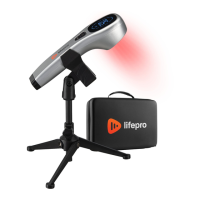
Please read the operating instructions before using the BioLux Light Therapy
Wand. Keep this manual for reference.
CHARGING THE BATTERY
• Fully charge the BioLux before using it for the first time.
• The BioLux takes 3–4 hours to charge completely.
• The battery indicator LED on the display screen flashes when charging.
Full charge is indicated when the battery indicator LED is full (3 bars
inside the battery icon).
• During use, the Battery Indicator shows the current battery level.
• 3 bars indicate full charge.
• 2 bars indicate approximately 40–60% charge.
• 1 bar indicates low charge.
• Empty battery icon (0 bars) indicates the battery should be
charged right away. This ensures optimum battery life.
• You may charge the battery at any time, regardless of battery level.
• You may plug the charging cable into the power adapter plug and
plug that into a standard wall outlet, or plug the charging cable into a
computer or car USB port to charge the BioLux.
• The BioLux may be used during charging.
• Average run-time is about 3–5 hours per charge.
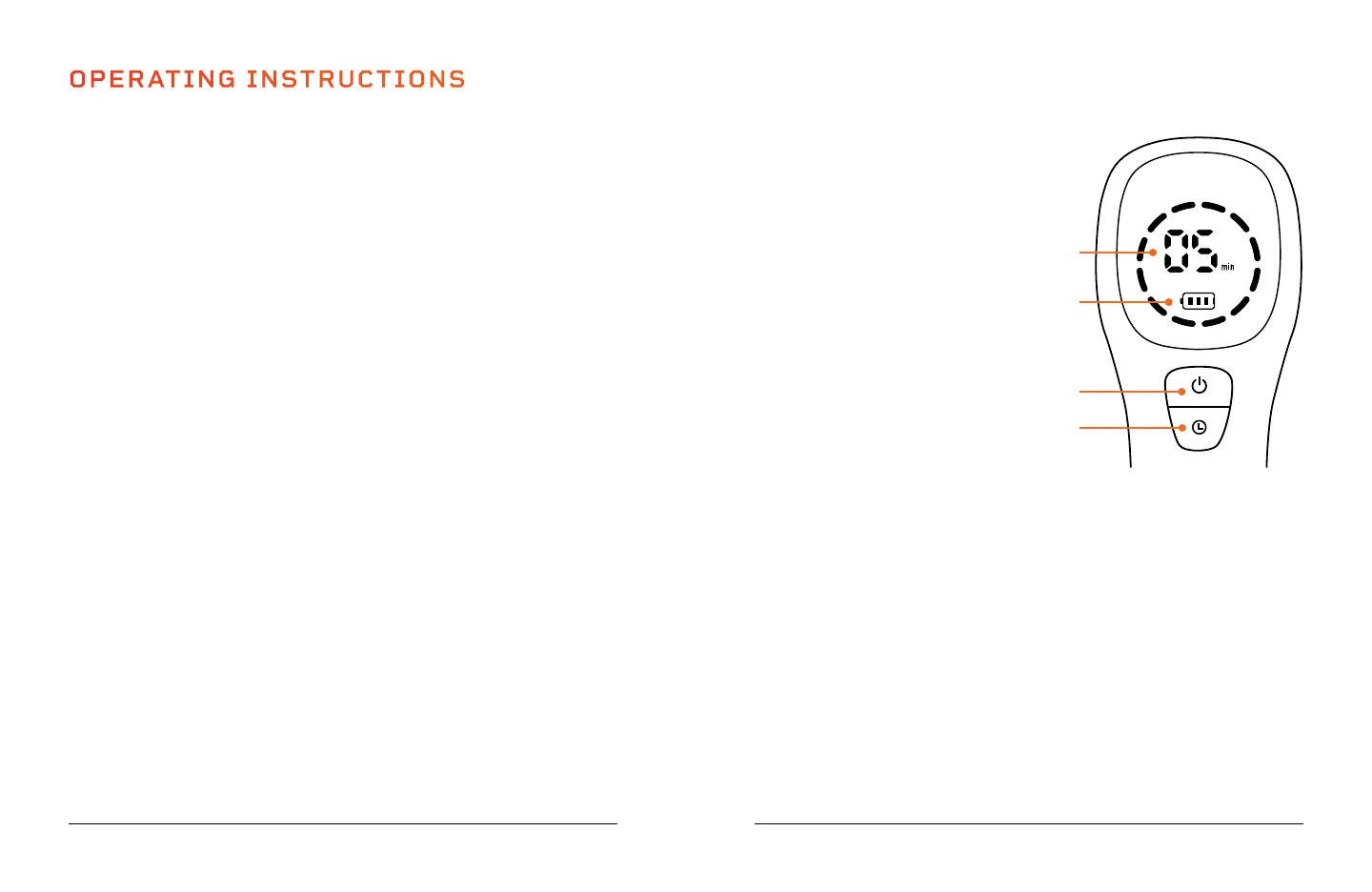
USING THE CONTROL PANEL
1. On/Off Button: Press and hold
the button for 2 seconds to turn
on/off the BioLux. Short press
the button to pause or resume
operation.
2. Time Increase/Decrease Button:
Tap the button to increase the
treatment time, from 5–30
minutes in 5-minute increments.
If the working time is set to 30
minutes, tapping the button once
will decrease the session time to
5 minutes.
3. Time Indicator: Shows the set
working time in minutes, from
5–30 minutes. The default time is
5 minutes.
4. Battery Indicator: Shows the
current battery charge. Three
bars indicate full charge, two bars
indicate approximately 40–60%
charge, one bar indicates low
charge. When the battery icon
is empty (no bars), the battery
should be charged right away. This
ensures optimum battery life.
Wellness Recovery Collection 13
2
1
4
3


 To Next Page