© 2018 Lifesize, Inc. All rights reserved. Confidential.
Start a presentation
While in a call, tap the
Present
icon.
QUICK TIP: While in a call, tap the
Layouts
icon for screen layout options. To end presentation mode, tap
the
Presenting
icon.
DID YOU KNOW? You can share your screen whether you are in a video call or giving a presentation to
others in the conference room.
Adjust volume
While in a call, tap the
Volume
icon. Adjust volume with slider.
QUICK TIP: To adjust the volume before starting a call, tap the
Start
icon on the Home Screen to access the
Volume
icon.
Mute video
1.
While in a call, tap the
More
icon.
2.
Tap the
Mute Video
icon.
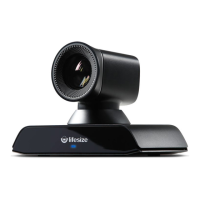
Move the camera
While in a call, swipe left and tap the
Camera
icon.
QUICK TIP: If you want to move the camera before you make a call, tap the
Camera
icon on the Home
Screen.
Reposition/zoom camera using the controls.
DID YOU KNOW? You can add a preset by pressing and holding a number in the Presets bar.


 To Next Page