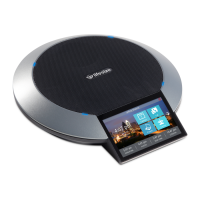
11 LifeSize Video Communications Systems User Guide
IP Address Displays Invalid Value
If the IP address displays an invalid value, or the address on the Main Menu displays as
http://0.0.0.0, one of the following conditions may be occurring:
Poor Quality Display
If you have poor quality or unreadable data on the display, adjust the LCD Contrast setting
(from the Preferences : Appearance menu). The default setting is recommended.
Display Failures
If data does not appear on the phone display, ensure the unit is properly plugged into a PoE
connection. Ensure that the Ethernet connector is fully engaged into the RJ-45 jack on the
underside of the phone. Also ensure that your Ethernet wall jack connection is PoE
(standard Ethernet has no power) for IP use. A bad Ethernet cable connection may also
result in display failures; replace it with a high-quality Ethernet cable.
Absent Dial Tone
If you do not receive a dial tone after pressing the or key to initiate a call, ensure
the speaker volume is adjusted appropriately.
Problematic Sound Quality
If you are unable to hear the phone ring when an incoming call arrives, the speaker volume
may be set too low. (The LEDs flash blue to indicate an incoming call.) Adjust the volume
using the up and down volume key. If you still experience audio problems, adjust the Ring
Tone Volume preference (from the Preferences : Audio menu).
Muffled reception may be caused by highly reverberant rooms. If you are experiencing poor
reception, add more sound absorbency to the room and speak in close proximity to the
phone.
Condition Resolution
The unit is configured to obtain an address
using DHCP and no DHCP server is
available.
Verify that the unit is plugged into a network that has a DHCP
server present.
Faulty Ethernet cable connection. Replace the Ethernet cable with a high quality cable.
The unit is configured to use a static IP
address, but no IP address has been
entered in the address field.
Identify and enter the necessary IP information if you disable
DHCP.
Network connection is unavailable. . In this configuration, you cannot access the web configuration
since there is no network access.


 To Next Page
 Loading...