32
Custom User Set-up Programs
There are 2 user programs that provide you with the ability to establish
customized program proles specic to your workout requirements. Once these
programs are completed they are saved by the console and can be selected like
any other preset program. Complete the following steps to set up a user program:
1. Select Programs from the touch screen by pressing
until programs is
selected. Press enter.
2. Select the Custom program group from the bottom of the screen by pressing
until custom is selected. Press enter.
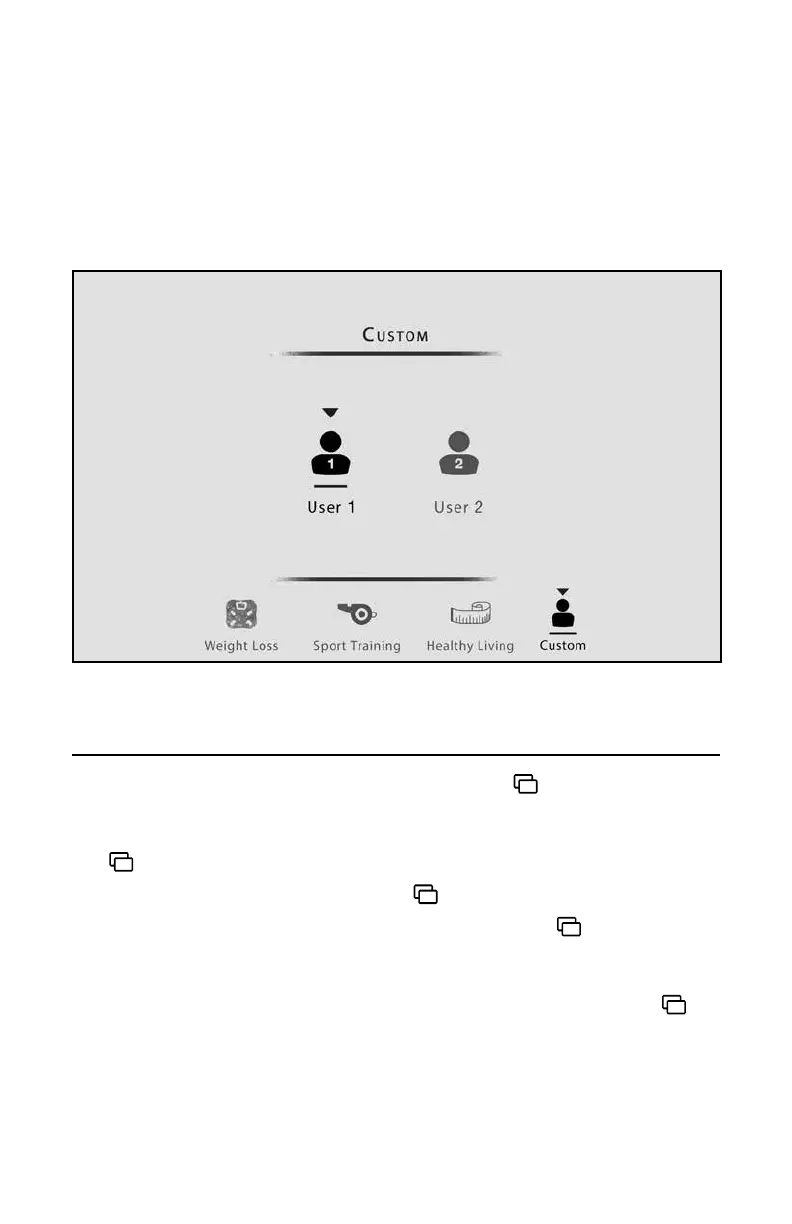
3. Select User 1 or User 2 by pressing the
buttons and press enter.
4. Set Time – Set hours by pressing the ▲/▼ buttons. Press
to move to the
next digits adjusting with the ▲/▼ buttons. When done press enter.
5. Set Weight and Age – Set your weight for a more accurate calorie calculation.
Also, set your age for heart rate calculations. Adjust your weight using
to
move between digits, and the ▲/▼ buttons to make adjustments. Set age
using the same method. When nished, press enter.
Custom User Set-Up Program Screen Step 3
Operations







 To Next Page