8
TOOLS AND HARDWARE REQUIRED
SECTION 1 (CONTINUED)
ADP (x10)
AJI
ADP
ADP
ADP
ADP
AJQ
1.8
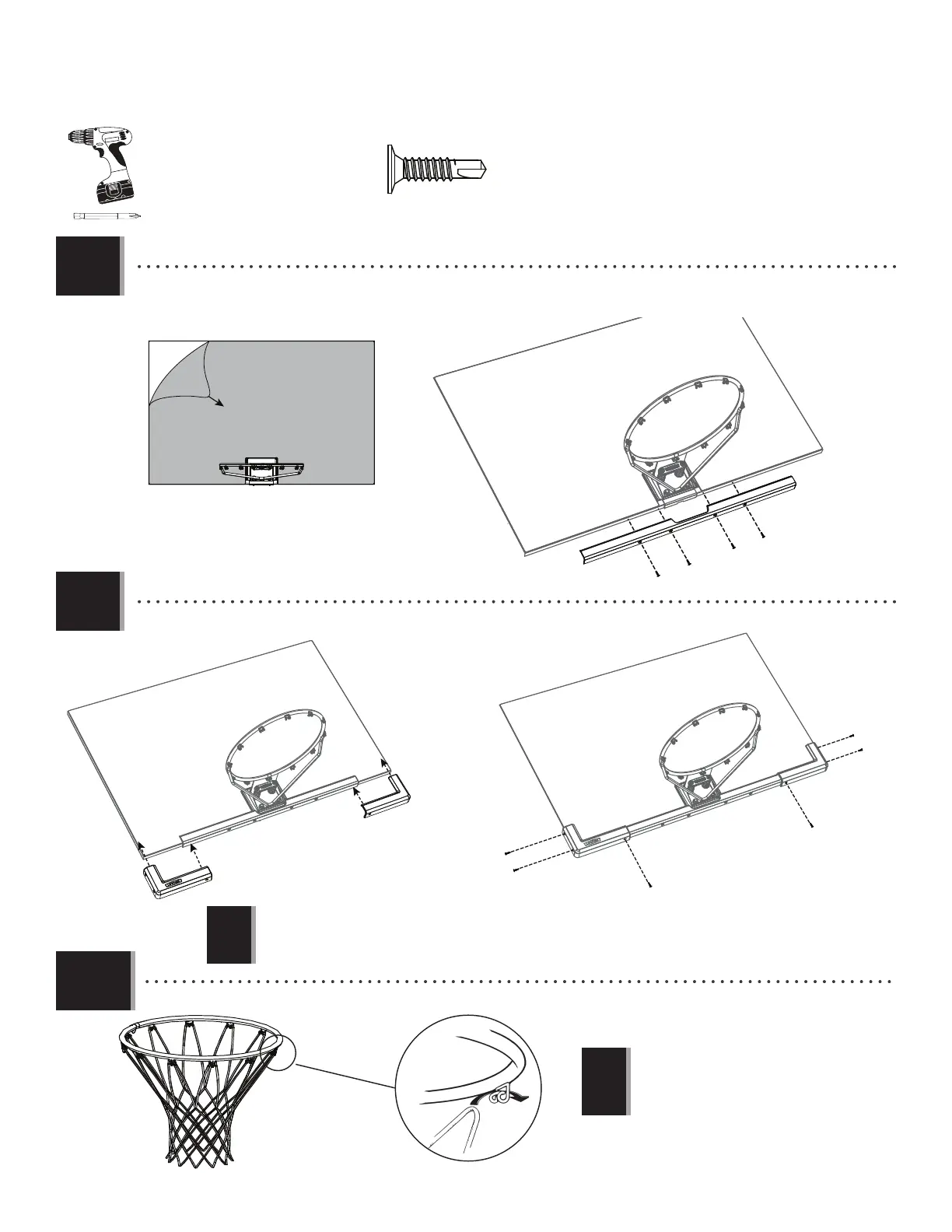
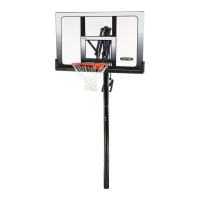
• Remove the plastic fi lm from the Backboard (AJI), and attach the Center Frame Pad (AJQ) to the Backboard in the location
shown with the hardware indicated. Make sure that the Center Frame Pad is oriented and centered on the metal piece of
the Backboard.
1.9
BAA
BAB
ADP
ADP
ADP
ADP
ADP
ADP
• Attach the Corner Frame Pads (BAA and BAB) to the Backboard in the locations indicated with the hardware indicated.
1.10
• Attach the Net (AKZ) to the Rim.
AKZ
• If a replacement Net is needed, please call
our Customer Service Department. Our Nets
are shorter than average to reduce the risk of
entanglement.
!
!
• The Corner Frame Pads (BAA and BAB) will overlap the Center Frame Pad (AJQ).
• Les protections angulaires (BAA et BAB) chevaucheront la protection centrale (AJQ).
• Las almohadillas angulares (BAA y BAB) se solaparán con las almohadilla central (AJQ).



 To Next Page