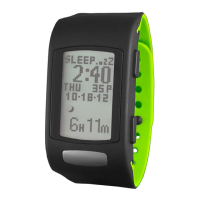
6/((3
TRACKER
Monitors the duration and quality of sleep based on motion
and arm posture.
The sleep tracker has two operating settings: Auto and
Manual.
$XWR(default): Sleep tracking is always enabled.
0DQXDO: Sleep tracking is enabled by double-clicking
67$576723while in Time.
NOTE: If you intend to remove your activity tracker
when you wake up, we recommend you manually stop
the sleep tracker by double-clicking START/STOP while in
Time.
5


 To Next Page