“Riviera” LightHeaded™ Bed
Assembly Instructions
www.LightHeadedBeds.com
Model #20197 Full size, Cheshire Cherry
Model #20327 Full size, Black
Model #20330 Full size, White
9/17/2015
1168346 B
Step 8
Page 5
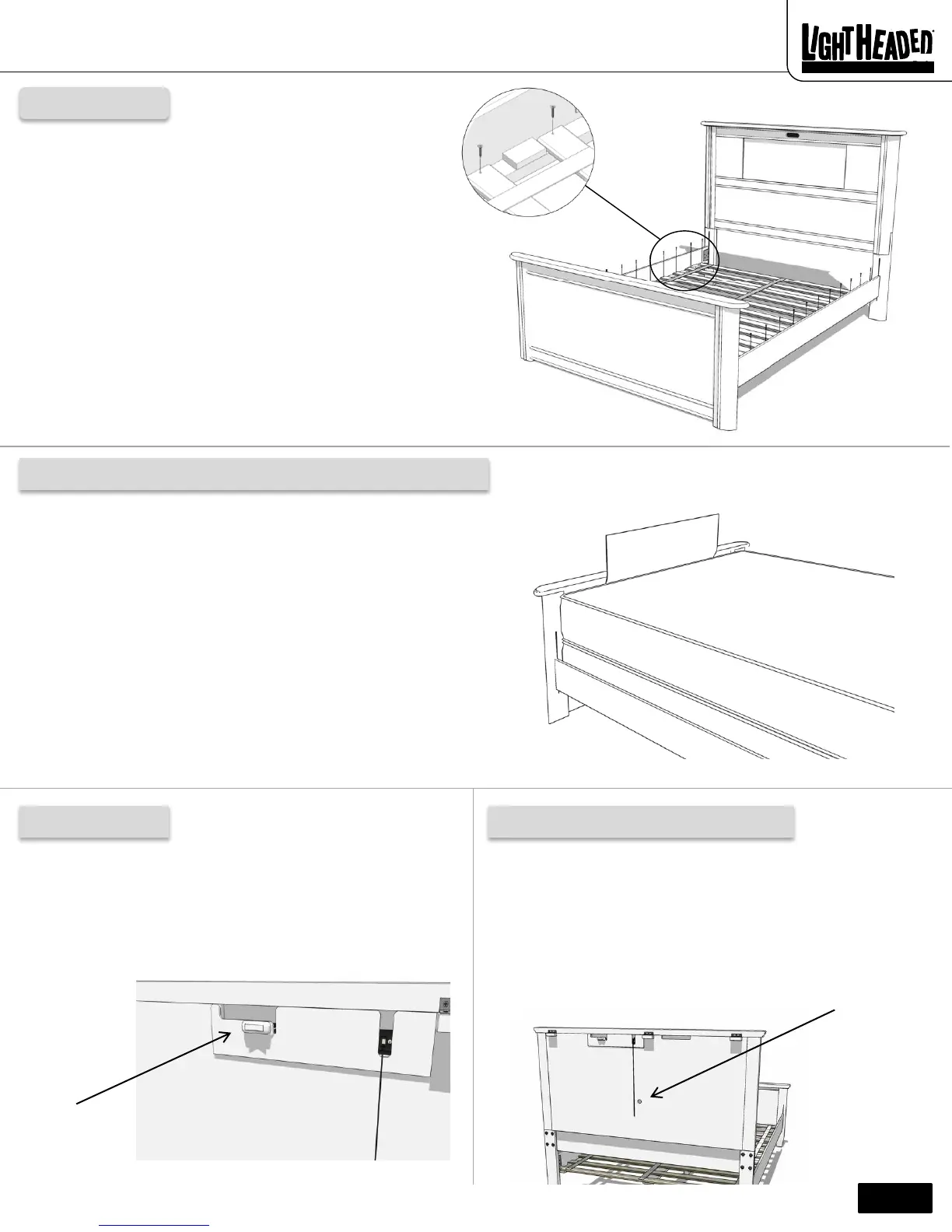
Secure each slat into the side rails with a wood screw (EPM)
using a Phillips head screwdriver (not included).
You have now completed the bed assembly.
Your LightHeaded™ Bed comes with a built-in image storage on the
inside of your footboard. This specially designed area allows you to
organize and safely store up to 25 interchangeable LightHeaded™
Images.
Please refer to the Lighting Assembly Instructions contained in your
TechBox. Locate the page titled Using Your LightHeaded Bed for
instructions to easily remove one LightHeaded™ Image from the
headboard and replace it with another.
The LightHeaded™ Image which you just removed from the headboard
can now be placed into the storage area in the footboard and your
LightHeaded™ Image will be ready for the next time you want to
personalize your LightHeaded™ Bed.
On/Off switch
On the back of your LightHeaded headboard, located just below
the hinged top, is an On/Off switch which can be used to toggle
the light component on or off. Please refer to your user manual
in the TechBox for additional information.
Light component positioning hole
Display in your headboard. Store in your footboard.
If, after review of the Lighting Assembly Instructions contained in
the TechBox, you find that your LightHeaded™ Image does not
slide in and out of the headboard with little to no resistance,
we’ve provided a 1" diameter hole located in the center of the
headboard back panel. With your finger, simply apply gentle
pressure to the back of the light component to reposition it, and
your LightHeaded™ Image will slide effortlessly in and out of
your headboard.
EPM
EPM


 To Next Page
 Loading...