8
11. LED Sync Set Yes/No
Adjust the LED mode. Yes=LEDs work together with the smoke output, NO=LEDs are always on.
12. Temper Min:xxx
Adjust the minimum heating temperature of the heating element, adjustable between 260° - 310°C.
Timer control
Press the Timer key (4) to activate the timer function. The display shows the adjusted interval and
the device counts the seconds down to "0". After that, the fog emission is triggered at the volume
adjusted under "Timer Out". The duration depends on the settings adjusted under "Duration Set".
If you wish to deactivate the timer function, press the Timer key once more.
Manual control (locked)
Press the Lock switch (5) for immediate triggering of the fog emission at the volume adjusted under
"Volume Out". Press the Volume switch once more in order to stop the fog emission.
Manual control (100% output)
Press the Manual key for immediate triggering of the fog emission at 100 % volume. Let the Manual
key loose in order to stop the fog emission.
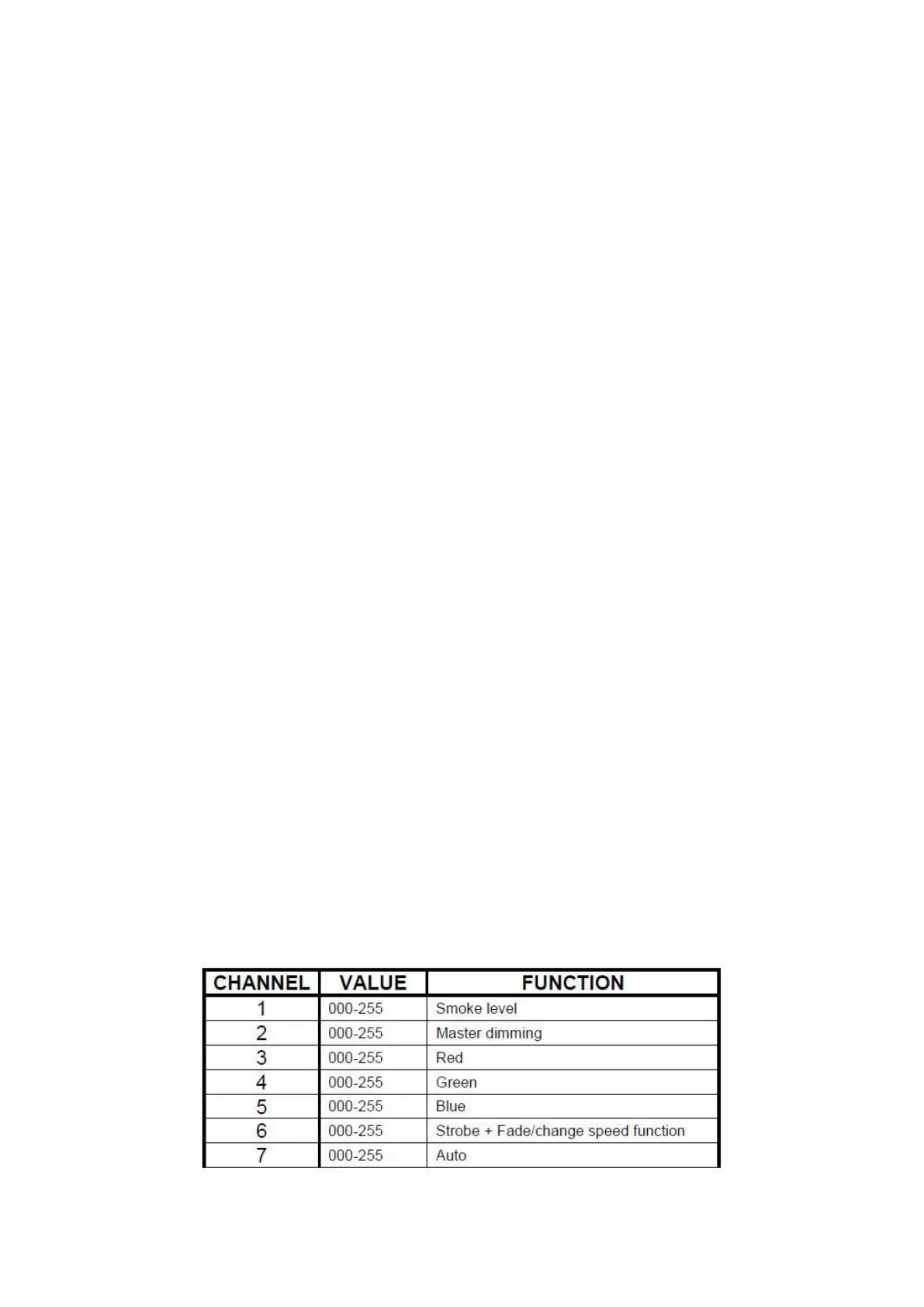
DMX control
Connect the machine directly to a DMX controller or a DMX loop with multiple DMX effects. The
machine uses a 3-pin XLR connector for DMX connection.
Address Setup: Press the MODE button a number of times until Add appears on the display, with
the UP /DOWN buttons the start address may be set. The start address is defined as a first chan-
nel to which the machine will respond to. Check that there are no overlapping channels used!
Note: It is necessary always lock the DMX loop with a 120 Ohm terminator for correct data trans-
mission.
The DMX data will only be saved when display shows “Ready to Fog”.


 To Next Page