EasyManua.ls Logo

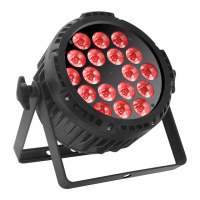
Lightmaxx Vega BAT LED - Connections and Controls; Device Ports and Buttons; Menu Navigation

Lightmaxx Vega BAT LED
29 pages
Go to English
To Next Page IconTo Next Page
To Previous Page IconTo Previous Page
Loading...
ENGLISH
Connections and controls:
Menu:
Navigation in the menu is via the four menu buttons below the display. Use the "Menu" button to
activate the menu, navigate via the "Up" and "Down" buttons. A corresponding selection is
confirmed with the "Enter" key. The corresponding menu item can be exited by pressing the
"Menu" key.
No.
Designation
No.
Designation
1
DMX In (3-pol)
8
Power Switch
2
DMX Out (-3pol)
9
LCD-Display
3
PowerCon In
10
Menu buttons
4
PowerCon Out
11
Infrared sensor for remote control
5
Folding Foot
12
Carrying handle
6
Fixation folding foot
7
Charge Switch

Related product manuals