
 Need help?
Do you have a question about the Lightmaxx Vega Pixel BAR and is the answer not in the manual?
Details risks of electric shock from high voltages and prohibited modifications to power cords.
Emphasizes keeping packaging and small parts away from children to prevent suffocation.
Warns against direct viewing of the light source to prevent potential eye injuries.
Alerts sensitive individuals to potential seizure triggers from flashing lights.
Specifies maximum ambient temperature and ventilation requirements to prevent fire.
Advises on indoor use (IP20) and avoiding rain, moisture, dust, and sunlight for device longevity.
Stresses checking voltage compatibility and using residual current circuit breakers for safety.
Warns against connecting DMX to audio devices and using correct DMX cables for reliable data.
Recommends adapting the unit to ambient temperature before commissioning to prevent condensation.
Explains that initial odors from new products are normal and temporary.
Clarifies the meaning of common symbols found on the device and packaging.
Covers checking for damage, secure mounting, and using safety cables during installation.
Mandates installation by experienced personnel adhering to safety regulations to prevent injury.
Informs users that the device is not compatible with dimmers.
Outlines guarantee conditions and provides contact details for support and inquiries.
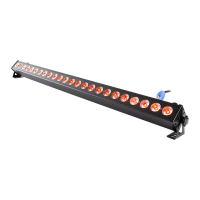
Defines the device as an LED lighting effect and warns against misuse.
Provides guidelines for making electrical and DMX connections before powering on the device.
Explains how to connect the device to a DMX controller and set its address.
Introduces the different DMX channel modes available for controlling the device.
Details the functions assigned to each channel in the 8-channel DMX mode.
Details the functions assigned to each channel in the 14-channel DMX mode.
Details the functions assigned to each channel in the 26-channel DMX mode.
Details the functions assigned to each channel in the 50-channel DMX mode.
Explains the selection of automatic programs and sound-activated modes.
Describes how to control multiple devices simultaneously using a master-slave setup.
Guides on connecting the device to power and preparing it for operation.
Identifies the ports and controls on the device, including power and DMX connections.
Explains how to navigate the device's menu using the buttons below the display.
Provides a visual breakdown of the menu options, including DMX address and mode settings.
Lists the range of values for Color Chase sequences and their corresponding effects.
Details model, power supply, LED configuration, DMX channels, dimensions, and weight.
Provides solutions for common problems like no function, DMX reaction, or remote control issues.
Guides on safely cleaning the device, including lenses and ventilation grilles.
Advises on the proper recycling and disposal of packaging materials.
Provides instructions for disposing of batteries and the old device according to WEEE directive.
 General
| Brand | Lightmaxx |
|---|---|
| Model | Vega Pixel BAR |
| Category | DJ Equipment |
| Language | English |

 To Next Page