45
LIKE IT
EN
5. Programming the operator
5.1.1- Keep trolley locked, pull or push the door by hand, make sure
the trolley connects with the chain connection device. (Assure that
the door is blocked, if necessary, move the door manually until you
hear it block).
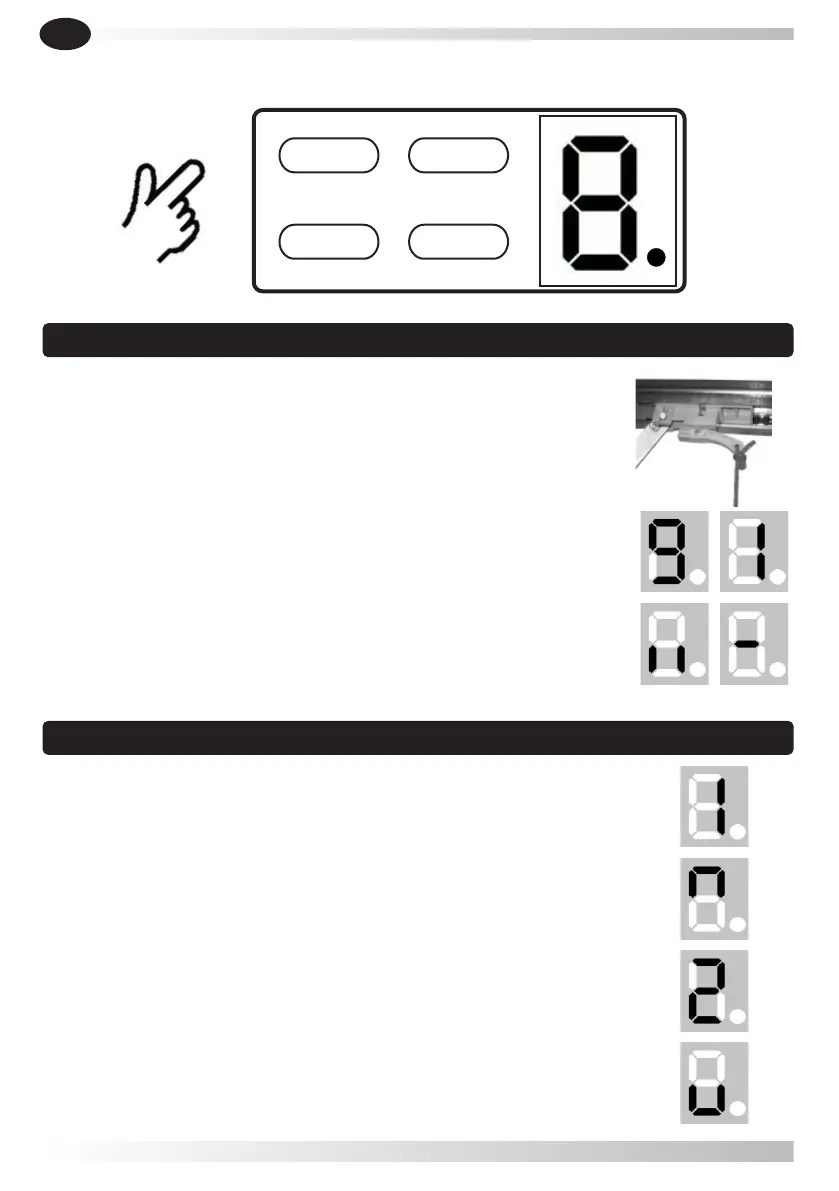
5.1.2- Turn on the power, the courtesy light is on for several seconds.
Meanwhile, LED display will show numbers from " 9 " to " 1 ". Then
the operator turns to standby situation.
5.1.3- At last, it displays " I I " or " - ".
5.2.1- Press and hold button SET until display shows " 1 ".
5.2.2- Press and hold button UP.
5.2.3- When the door has reached the open position, press button
SET. It displays " 2 ".
SET UP
CODE DOWN
5.1 Preparing
5.2 Setting open and close positions
5.2.4- Then press and hold button DOWN, it flashes " u ". When the
door has reached the closed position, click one time the button UP
and then press the button SET.



 To Next Page