47
LIKE IT
EN
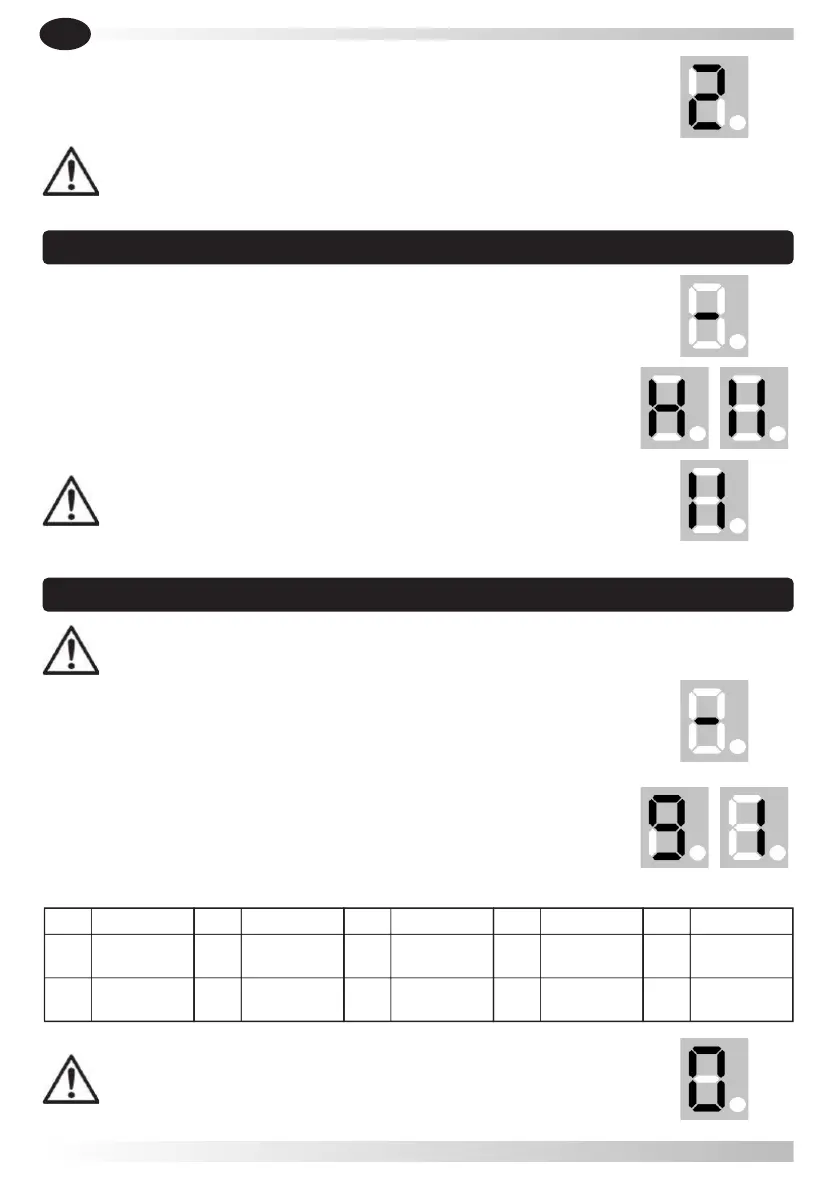
5.6.1- Press and hold button DOWN, it displays " - ".
5.6.2- Press button UP once it displays " H ", the photocell is
enabled. Press button DOWN once and it displays " I I ", the
photocell is disabled. Press button SET to confirm and exit.
5.5.3- Press button SET to confirm.
The default setting is " 2 ".
5.6.3- If you do not use photocell device, please make sure it
displays " I I " to disable this function.
5.5.4- After finishing all the settings, please check if the force
is ok according to the European standards.
5.6 Photocell
5.7.3- The default setting is " 0 ", which is auto-close
OFF.
5.7.2- Loosen button UP, the display will show number between 0-9,
press buttons UP or DOWN to adjust auto-close time. When display
shows " 1 " means the auto-close time is 10 seconds, when display
shows " 9 " means the auto-close time is 180 seconds. when display
shows " 0 " means the function of auto-close is in mode OFF. Press
button SET to confirm.
5.7.1- Press and hold button UP, until it displays " - ".
5.7 Auto-close ON / OFF
Level Time [sec.]
9
180
0
Auto-close
OFF
Level Time [sec]
7
90
8
120
Level Time [sec.]
5
50
6
60
Level Time [sec.]
3
30
4
40
Level Time [sec.]
1
10
2
20
WARNING: To activate the auto-close ON/OFF is required to use additional
safety devices (e.g. photocells).



 To Next Page