-10-
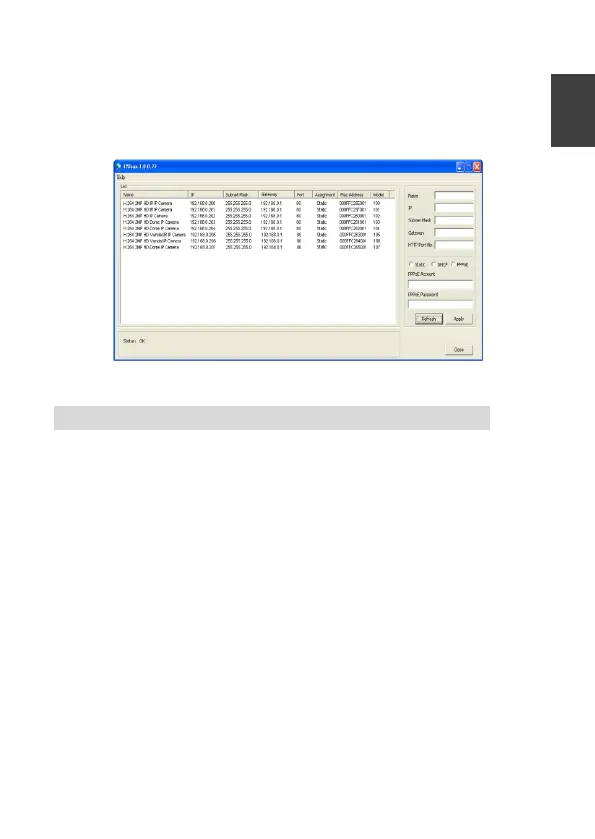
4. Change the IP address, subnet mask, gateway, or HTTP port for
the IP camera.
5. Click Apply to submit the settings.
6. Click Refresh to verify the settings.
Configuring IP Addresses via Web Interface
To change an IP address via web interface, type the default IP address
(192.168.0.200) in the Internet browser and follow the steps below:
1. Login to the H.264 Full HD IP camera by the default username
“admin” and default password “pass”
2. Click Basic Mode configuration hyperlink.
3. Click Network->General hyperlink.
4. Change the IP address, subnet mask, gateway, or HTTP port for
the IP camera.
5. Click Submit to verify the settings.


 To Next Page