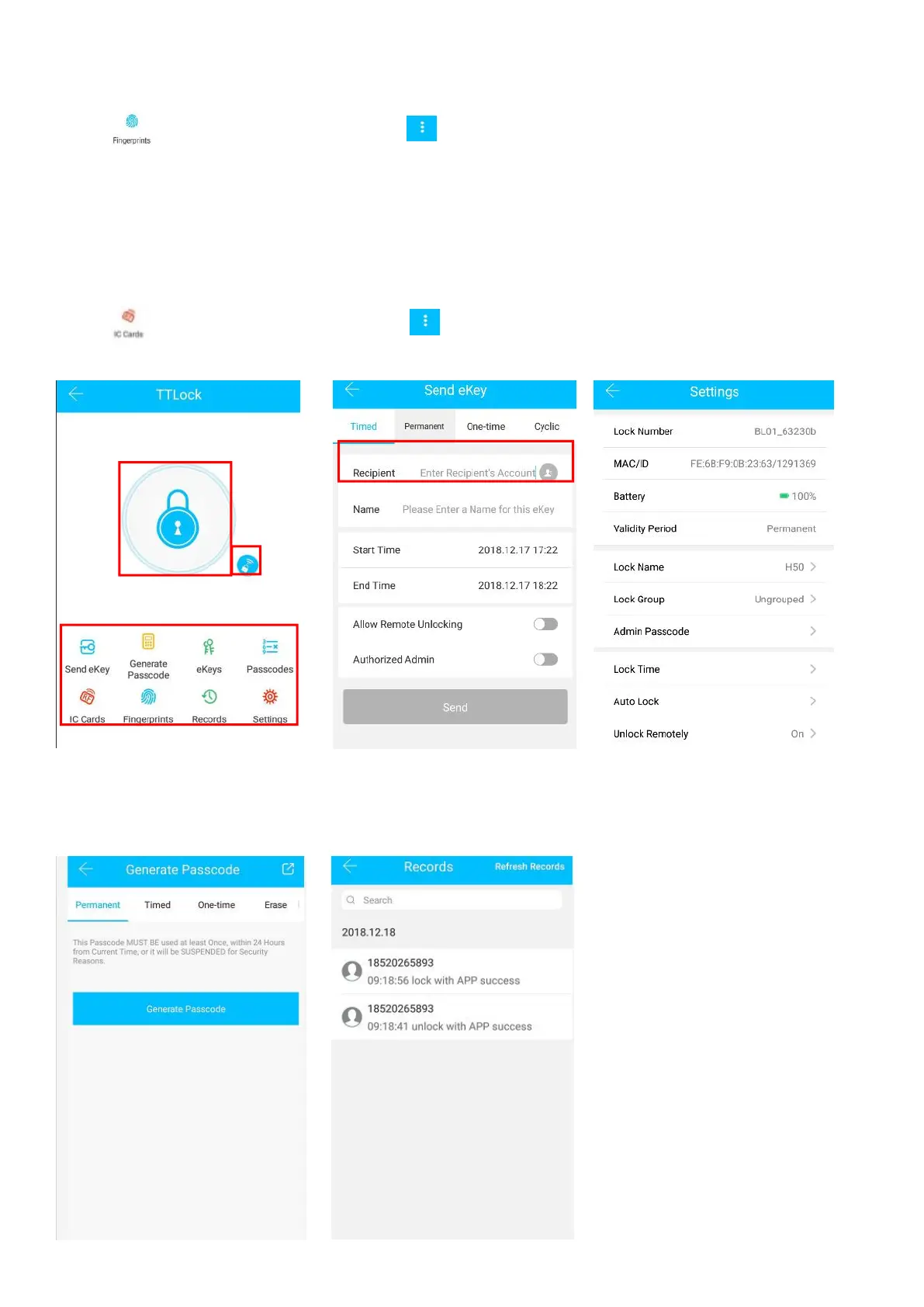
5.2.7 Fingerprint unlock
Click " " as shown in finger 2-1
→
Click " "
→
Add Fingerprint
→
set the name and effective time of
the fingerprint
→
Start
→
Place your finger on the sensor follow the instructions
→
Add fingerprint OK
→
Place your fingerprint on the sensor to unlock.
5.2.8 Card unlock
Click " " as shown in finger 2-1
→
Click " "
→
Add IC Cards as finger 2-6
Enter recipier’s account of TTlock


 To Next Page