11
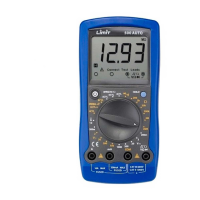
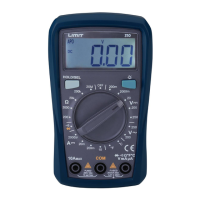
Functional buttons
Select • Change between DC and AC for voltage and current
measurement.
• Change between resistance, continuity and diod test.
MAX/MIN • Starts recording of maximum and minimum values. Press button
for 1 second to exit max/min mode.
☼ • ON/OFF for display backlight. Backlight automatic off after 1
minute.
Hold • ON/OFF for hold function. H shows on display when value is
frozen.
θHz • Change between Hz and duty cycle % when the meter is at %Hz,
V or A position.
ZERO • Zeroing the display before measuring DC current.
Voltage measurement DC and AC (See fig 1)
1. Insert red test lead into the VΩHz terminal and black test lead into the COM
terminal.
2. Set the rotary switch to V position.
3. Select DC or AC with select button. Display shows DC or AC.
4. Connect the test leads across with the object being measured. The measured
value shows on the display.
English
English



 To Next Page