3
OPERATIONS
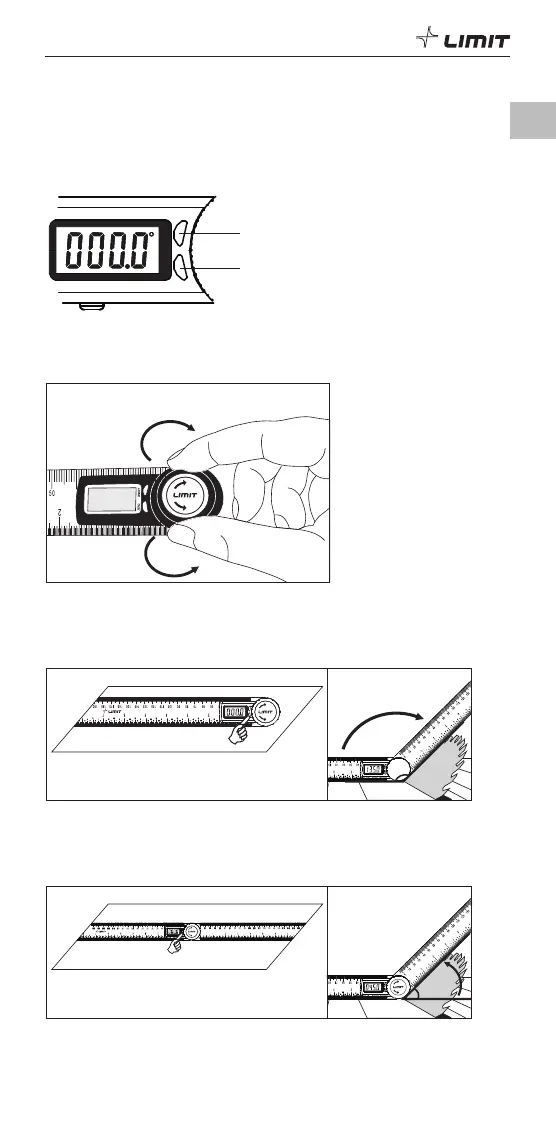
1. Power On/Off and Zero setting
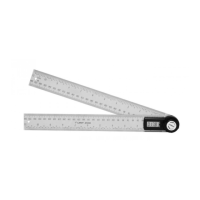
1.1 Short press On/OFF to turn on the unit, short press again to turn off the LCD as a
battery saving mode. When moving any rule the display will turn on again.
1.2 Long press On/Off in 3 seconds to turn off the unit. Automatically shut off in 6
minutes.
1.3 Press zero button for zero setting at any position.
ZERO button
ZERO
ON/OFF
2. Tighten
2.1 Rotate clockwise to tighten the rulers.
2.2 Rotate counterclockwise to loosen the rulers.
L
O
O
S
E
T
I
G
H
T
Tighten
Loose
3. Measurements
3.1 Measuring angel between scales
Put the tool on any surface and short press ZERO button to set zero. Rotate the ruler
to measure the angle.
135°
ZERO
ON/OFF
AFA300
L
O
O
S
E
T
I
G
H
T
3.2 Measuring supplemental angel
Short press ON/OFF to turn it on, put it on the flat surface as pic, make sure the both
ruler’s edges touch the surface, press ZERO button to set zero. Rotate the ruler to
measure the angle.
45°
L
O
O
S
E
T
I
G
H
T
GB


 To Next Page