EasyManua.ls Logo

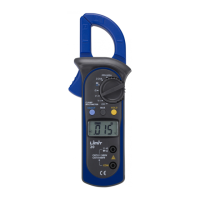
LIMIT 20 - User Manual

LIMIT 20
100 pages
Print Icon
To Next Page IconTo Next Page
Loading...
-measure with pleasure
manual_limit20 05-05-26 18.53 Sida 1
Question and Answer IconNeed help?

Do you have a question about the LIMIT 20 and is the answer not in the manual?

Summary

Overview

General Specifications

Safety Information

Functional Buttons

Select Button

Changes between Diode and Continuity test based on rotary switch selection.

Max Button

Initiates recording and updating of the maximum measured value.

Hold Button

Activates/deactivates the hold function; 'H' indicates frozen display.

Voltage Measurement (DC and AC)

Current Measurement (AC)

Resistance Measurement

Diode Test

Continuity Test

Replacing the Battery

Summary

Overview

General Specifications

Safety Information

Functional Buttons

Select Button

Changes between Diode and Continuity test based on rotary switch selection.

Max Button

Initiates recording and updating of the maximum measured value.

Hold Button

Activates/deactivates the hold function; 'H' indicates frozen display.

Voltage Measurement (DC and AC)

Current Measurement (AC)

Resistance Measurement

Diode Test

Continuity Test

Replacing the Battery

LIMIT 20 Specifications

General IconGeneral
BrandLIMIT
Model20
CategoryMeasuring Instruments
LanguageEnglish

Related product manuals