10
Operation Instructions cont’d
Adding and Removing a Device
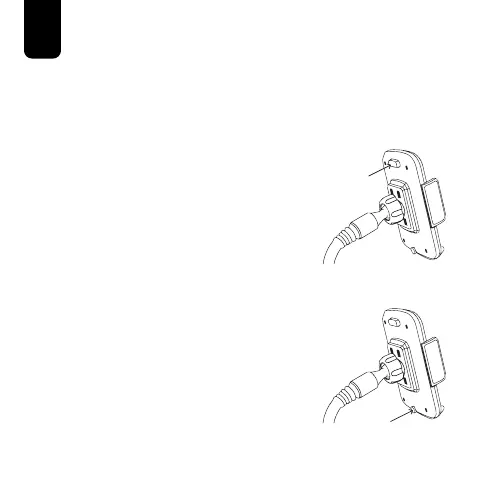
1. Press and hold the Adjustable
Arm Release Button on the
top-back of the PhoneStation
Mount until the arms are fully
expanded.
2. Press and hold the
Adjustable Foot Release
Button on the bottom-back
of the Phone Mount and
pull/push the Foot until it is in
the desired position.
3. Place a mobile device on
the Adjustable Foot and
against the back of the
PhoneStation Mount.



 To Next Page