E-series AC Charger
Configuration manual V1.3 21
3.2.1 User viewing interface
Remove the black cover, open the browser and scan the QR code on the display
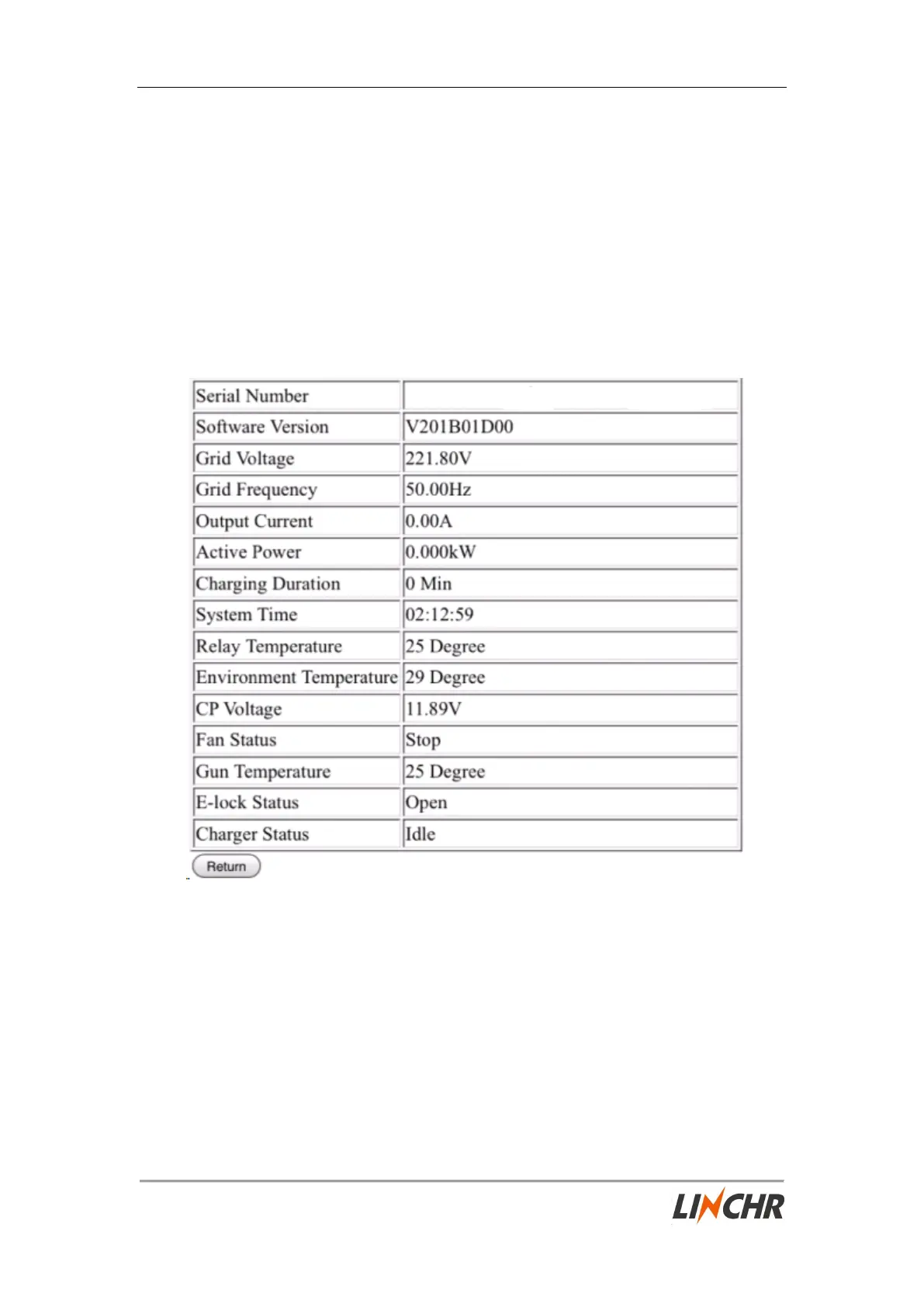
panel, you can see the current running status of the charger and the main
configuration parameters. This can help you make a simple judgment when
something goes wrong with the charger.
You can also open the mobile browser and enter the following URL in the browser
to enter the charger background.
http://192.168.1.1
(You can find how to remove the black cover through “2.6 Installation steps”.)
Fig.3-3: The current running status of the charger


 To Next Page