2 Remote Controls
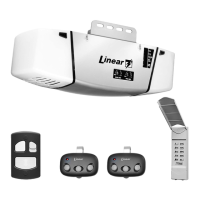
This opener is supplied with a three-button remote control (the second and third buttons can be used to control an
additional opener or gate if it contains a Linear MegaCode™ receiver). Additional single and multi-button remote
controls can be purchased. The short wire on the back of the opener serves as an antenna for the remote controls.
Do not cut off the wire or the remote controls will not
operate well.
To Add or Remove a Remote Control
1 Press the opener’s LEARN button. The opener’s light
and red light will flash once and turn on for about
15 seconds. A remote must be added or removed
while the red light is still on.
2 Send a signal from a remote. The opener’s light and
the red light will flash once if a remote was added, or
the opener’s light and the red light will flash four times
if a remote was removed.
3 Repeat Steps 1 & 2 for any additional remote controls.
To Remove all Remote Controls
1 Press and hold the opener’s LEARN button for ten
seconds or more.
2 Release the LEARN button. The red light and
opener’s light will blink three times signaling that
all of the remotes in the opener’s memory were
erased. The red light will turn off, then turn on for 15
seconds. A remote control can be entered during this
time using Step 2 above.
Testing
1 Before testing the remote control, straighten out the
opener’s antenna wire so it points up.
2 Stand clear of the door, press the remote control’s
button and verify that the opener starts.
Replacing a Remote Control’s Batteries
When the red light on the remote glows dimly, or fails
to light at all when the remote is activated, the batteries
need replacing.
1 Open the remote’s case and remove the circuit board.
2 Replace old batteries with two Type 2032 batteries.
3 Re-assemble the remote.
3 Garage Door Opener Maintenance
Weather conditions may affect the door operation which
could require some re-setting of the opener’s adjustments.
Doors may swell and become heavier during wet periods,
door hinges and rollers might bind during cold periods. To
insure safe operation of the door, perform the following
tests, including any additional test steps described.
Every Month
1 With the door closed, pull the red release handle to
disconnect the opener from the door.
2 From outside the garage, slowly open the door
manually all the way, and then close it all the way.
Notice if there is any binding, sticking or rubbing. The
door should move smoothly in both directions.
3 Raise the garage door about halfway up. Carefully
release the door and see if the door balances. It
should stay in place. Close the door.
� NOTE: If the garage door is unbalanced or the
door travel isn’t smooth, have a qualified garage door
professional adjust or repair the door.
4 To reconnect the opener, flip the release lever up and
run the opener.
5 Perform the Safety Beam Test (Section 4).
6 Perform the Safety Reversal System Test as described
in Section 8.
After Servicing the Opener
1 Perform the Safety Beam Test (Section 4).
2 Perform the Open and Close Limit Adjustments
(Section 5).
3 Perform the Safety Reversal System Test (Section 8).
Every 6 Months
Check the belt or chain tension.
• For belt-drive rails, examine the length of the tension
spring in the traveler. It should be about 1” long.
• For chain-drive rails, examine the spacing between
the turnbuckle and the rail. The turnbuckle should be
slightly above the rail.
� NOTE: Too much or too little chain tension will cause
excessive sprocket noise.
Chain Adjustment
If necessary, use the following steps to adjust the chain.
1 Hold the turnbuckle with a flat blade screwdriver and
loosen the two locknuts with a 7/16” end wrench.
2 Twist the turnbuckle to adjust the chain tension. Adjust
the chain until the turnbuckle is sightly above the rail.
3 Hold the turnbuckle with a flat blade screwdriver and
tighten the two locknuts with a 7/16” end wrench.
Belt Adjustment
The tension spring in the traveler keeps the belt taut. The
factory setting for the tension spring length is .9” long. If
the tension spring is longer than 1”, adjust the belt.
1 Hold the traveler so the adjustment wheel is visible
through the large slot.
2 Use a flat blade screwdriver to turn the adjustment
wheel to compress the tension spring until its length
is between .9” and 1” long.
Every Year
Check the door hardware for lubrication needs. Lubricate
door hinges, rollers and bearings according to door
manufacturer’s recommended procedures.
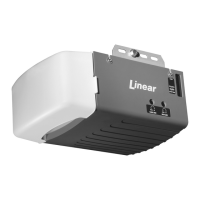
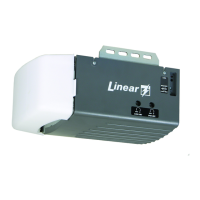
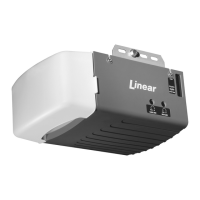
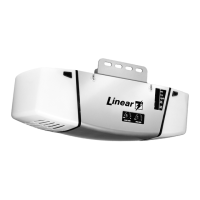
MODEL LDCO801
BELT-DRIVE OR CHAIN-DRIVE
DC MOTOR GARAGE DOOR OPENER
HOMEOWNER’S INSTRUCTIONS
For Sectional Type Doors
IMPORTANT SAFETY NOTES
Please read the instructions carefully! This garage door opener is designed to provide safe and reliable service if installed
and tested as described in these instructions. A garage door is the largest mechanical appliance in a residence. Care
must be taken to prevent injury or death during installation and operation of the garage door and garage door opener.
THE FOLLOWING FORMATS ARE USED FOR SAFETY NOTES IN THESE INSTRUCTIONS.
1 Using the Garage Door Opener
Opening the Door
1 With the door in view, press the wall station’s UP/
DOWN ARROW button, the button assigned to the
opener on the remote control, or enter a valid access
code and press START/STOP on a remote keypad.
2 When the opener is activated, the opener’s light will
turn on and the door will begin to open.
3 The door will open until the open limit is reached. If
an obstacle is encountered (opener’s light flashes four
times) while the door is opening, the door will stop.
4 The opener’s light will stay on for about five minutes
after the door stops.
Closing the Door
1 With the door in view, press the wall station’s UP/
DOWN ARROW button or the button assigned to the
opener on the remote control, or enter a valid access
code and press START/STOP on a remote keypad.
2 When the opener is activated, the opener’s light will
turn on and the door will begin to close.
3 The door will close until the close limit is reached. If
an obstacle is encountered (opener’s light flashes four
times), or the safety beam is interrupted (opener’s light
flashes three times) during closing, the door will stop,
then re-open.
4 The opener’s light will stay on for about five minutes
after the door stops.
Stopping the Door Mid-travel
1 The door can be stopped immediately at any time
by pressing the wall station’s UP/DOWN ARROW
button, the remote control’s pushbutton, or press
the START/STOP button on a remote keypad (if the
remote keypad was used to start the door).
2 The next time the opener is activated, the door will
move in the opposite direction.
Vacation Lock for Additional Security
1 Slide the wall station’s LOCK switch to the locked
position to prevent remote controls from opening the
door after the door is completely closed. The remotes
can close the door, but not open it. The door can still
be opened or closed by using the wall station’s UP/
DOWN ARROW pushbutton.
� NOTE: To signal that the vacation switch is locked,
the opener’s light and red light will flash five times if a
remote is activated in an attempt to open the door.
2 Slide the wall station’s LOCK switch to the unlocked
position to return the opener to normal operation.
Controlling the Opener’s Light
1 The opener’s light can be lit by pushing the wall
station’s LIGHT button. The light will remain on until
the LIGHT button is pressed again or the opener is
cycled.
2 If the opener’s light is on, pushing the wall station’s
LIGHT button will turn the opener’s light off.
Disconnecting the Door from the Opener
1 With the door in any position (preferably closed),
carefully pull the red release handle. USE CAUTION
IF THE DOOR IS OPEN, THE DOOR MAY DROP.
2 The disconnected door can be opened or closed
manually.
3 To reconnect the opener, flip the release lever up.
Raise or lower the door manually until the opener
reconnects.
IMPORTANT USER SAFETY INSTRUCTIONS
WARNING
A MOVING GARAGE DOOR CAN CAUSE INJURY OR DEATH!
TO REDUCE THE RISK OF DEATH OR SEVERE INJURY:
1 READ AND FOLLOW ALL INSTRUCTIONS.
2 Use this operator only with sectional overhead doors no more than 10 ft. tall.
3 NEVER LET CHILDREN OPERATE, OR PLAY WITH DOOR CONTROLS! KEEP REMOTE CONTROL
AWAY FROM CHILDREN!
4 Always keep moving door in sight and away from people and objects until it is completely closed. NO
ONE SHOULD CROSS THE PATH OF THE MOVING DOOR.
5 NEVER GO UNDER A STOPPED, PARTIALLY OPEN DOOR.
6 Test door opener monthly. The garage door MUST reverse on contact with a 1-1/2 inch object (or a 2x4
board laid flat at the center of the door) on the floor. If adjusting either the force or the limit of travel,
re-test the door opener. Failure to adjust the opener properly may cause severe injury or death.
7 If possible, use the red emergency release handle only when the door is closed. Use caution when
using this release with the door open. Weak or broken springs may cause the door to fall rapidly,
causing injury or death.
8 KEEP GARAGE DOORS PROPERLY BALANCED. (See Garage Door Opener Maintenance) An
improperly balanced door could cause severe injury or death. Have a qualified service person make
repairs to cables, spring assembly and other hardware.
9
SAVE THESE INSTRUCTIONS.
THE DOOR SHOULD
BALANCE WITHOUT
GOING UP OR DOWN
CHECKING THE DOOR BALANCE
TEST WITH SMALL OBSTACLE
THE DOOR MUST REVERSE
WITHIN 2-SECONDS AFTER
IMPACT WITH A 2 x 4 BOARD
2 x 4 BOARD LAID FLAT
UNDER
CENTER OF DOOR
TESTING THE SAFETY REVERSAL SYSTEM
IF PROPERLY
BALANCED, THE
DOOR WILL STAY AT A
HALFWAY POSITION
IF PROPERLY
BALANCED, THE
DOOR WILL STAY AT A
HALFWAY POSITION
PRINTER’S INSTRUCTIONS:
INSTR,HOMEOWNERS,LDCO801; P/N: 10031424 Rev-A; INK: BLACK; MATERIAL: 20# MEAD BOND; SIZE: 11.000” x 17.000”; FOLDING: 1-FOLD VERTICAL, 1-FOLD HORIZONTAL, FINISH 8.500” X 5.500” WITH LOGO SHOWING; SCALE: 1-1; SIDE 1 OF 2
WARNING
This type of warning note is used to indicate
possible mechanical hazards that may cause
serious injuries or death.
CAUTION
This type of warning note is used to indicate
the possibility of damage to the garage door or
garage door opener.
WARNING
The garage door opener must not be installed
and used on an unbalanced door. The opener’s
internal door force sensor will not function
properly on an unbalanced door. Risk of serious
injury or death may result.
WARNING
Garage door hardware (springs, cables,
brackets, pulleys, etc.) are under extreme
pressure and tension. DO NOT ATTEMPT TO
LOOSEN, TIGHTEN OR ADJUST ANY DOOR
HARDWARE. CALL A QUALIFIED GARAGE DOOR
INSTALLATION PROFESSIONAL!
WARNING
Always perform the entire Safety Reversal
System Test (see Section 8) after making any
adjustments to the opener.
IF DOOR BECOMES OBSTRUCTED,
PULL DOWN ON HANDLE
NOTICE
IF DOOR BECOMES OBSTRUCTED,
PULL DOWN ON HANDLE
NOTICE
TO DISCONNECT OPENER
PULL THE RED
RELEASE HANDLE
TO DISCONNECT
THE OPENER FROM
THE DOOR
FLIP THE LEVER UP
AND RAISE OR
LOWER THE DOOR
TO RECONNECT
THE OPENER
TO RECONNECT OPENER
WARNING
Children operating or playing with a garage
door opener can injure themselves or others.
The garage door could cause serious injury
or death. Do not allow children to operate the
remote control(s) or the wall station. A moving
garage door could injure or kill someone under
it. Activate the opener only when the door is
clearly visible, free of obstructions and adjusted
properly.
SEND A SIGNAL
FROM A REMOTE
THE OPERATOR'S LIGHT AND
RED LIGHT WILL FLASH ONCE IF A
REMOTE IS ADDED, THE OPERATOR'S
LIGHT AND THE RED LIGHT
WILL FLASH FOUR TIMES
IF A REMOTE IS REMOVED
1
2
ADDING OR REMOVING A REMOTE
PRESS A
BUTTON
- OR -
ENTER A CODE
AND PRESS START/STOP
PRESS THE LEARN BUTTON
FOR 10 SECONDS OR MORE
1
2
REMOVING ALL REMOTES
THE RED LIGH
AND OPERATOR’S LIGH
T
WILL BLINK 3 TIMES
SIGNALING THAT
ALL REMOTES
WERE REMOVED
PRESS THE
LEARN BUTTON
REMOTE MUST BE ENTERED
WHILE RED LIGHT IS ON
2
PREPARING TO ADD OR REMOVE A REMOTE
1
THE RED LIGHT WILL
GLOW FOR 15 SECONDS
TURNBUCKLE
LOCKNUTS
TO OPENER
LOCKNUTS
TIGHTEN
LOCKNUTS
LOOSEN
HOLD TURNBUCKLE
WITH FLAT BLADE
SCREWDRIVER TO
BACKUP LOCKNUTS
TWIST
TURNBUCKLE
CHAIN
TIGHTEN
CHAIN
LOOSEN
ADJUSTING A CHAIN-DRIVE
PRESS THE
WALL STATION'S
UP/DOWN ARROW
PRESS A REMOTE
CONTROL BUTTON
OPENING OR CLOSING THE DOOR
- OR -
- OR -
ENTER AN
ACCESS CODE
AND PRESS
START/STOP
WALL STATION
REMOTE CONTROL
REMOTE
KEYPAD
WALL
STATION
REMOTE
KEYPAD
THE DOOR CAN BE STOPPED
AT ANY POSITION USING THE
WALL STATION, REMOTE CONTROL,
OR A REMOTE KEYPAD
REMOTE
CONTROL
LOCK UNLOCK
PREVENTING REMOTES
FROM OPENING THE DOOR
SLIDE THE VACATION SWITCH
DOWN TO LOCK (REMOTES DISABLED)
OR UP TO UNLOCK (REMOTES NORMAL)
CONTROLLING THE
OPENER'S LIGHT
PRESS THE LIGHT
BUTTON TO TURN THE
LIGHT ON OR OFF
THE LIGHT WILL STAY ON UNTIL
THE LIGHT BUTTON IS PRESSED
OR THE OPENER IS CYCLED
IF DOOR BECOMES OBSTRUCTED,
PULL DOWN ON HANDLE
NOTICE
IF DOOR BECOMES OBSTRUCTED,
PULL DOWN ON HANDLE
NOTICE
IN CASE OF POWER FAILURE
OR IF DOOR BECOMES OBSTRUCTED
PULL THE RED
RELEASE HANDLE
TO DISCONNECT
THE OPENER FROM
THE DOOR
FLIP THE LEVER UP
AND RAISE OR
LOWER THE DOOR
TO RECONNECT
THE OPENER
PROFESSIONAL INSTALLATION BY:
4 5
6
1 2 3
USE COIN OR VISOR
CLIP IN SLOT TO
OPEN CASE
REPLACING THE REMOTE CONTROL BATTERY
CARFULLY REMOVE
THE BOARD
LIFT OFF TOP
OF CASE
REMOVE OLD
BATTERY AND
DISPOSE OF
PROPERLY
INSERT NEW
CR2032
BATTERY
PLUS SIDE UP
RE-ASSEMBLE
REMOTE CONTROL
ADJUSTING A BELT-DRIVE
TIGHTEN
LOOSEN
TURN THE ADJUSTMENT
WHEEL UNTIL THE TENSION
SPRING IS ABOUT 1" LONG
ADJUSTMENT WHEEL
MEASURE THE TENSION
SPRING LENGTH
TRAVELER
WHENEVER OPERATING
THE LIGHT WILL TURN ON
FOR ABOUT 5 MINUTES
NOTE: A FLASHING
LIGHT INDICATES
TROUBLE
SAFETY LIGHTING

 Need help?
 General

 To Next Page