EasyManua.ls Logo

Linear LDCO850 - User Manual

Linear LDCO850
16 pages
Print Icon
To Next Page IconTo Next Page
Loading...
LDCO850
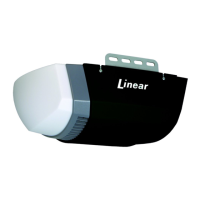
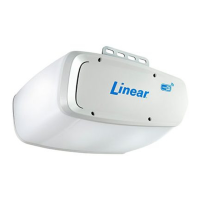
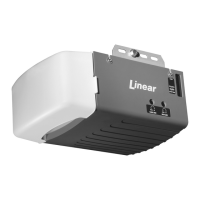
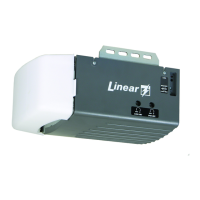
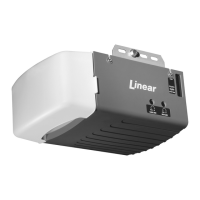
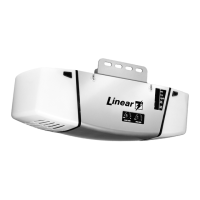
Smart Wi-Fi Garage Door Opener
DC motor with LED lighting and belt- or chain-drive rail
Homeowner’s Manual
Printed in China for GTO Access Systems, LLC.
Copyright
©
2017 GTO Access Systems, LLC
Document Number: 10014541 REV-D (07-11-17)
Please read this manual and included safety information carefully.
After the opener is installed and working properly, use your smart phone to
download, and activate the Linear PRO Access Smart Control app (page 10).
Important Safety Information ............................... page 1
Using the Garage Door Operator ........................ page 2
Manual Disconnect .............................................. page 3
Testing the Safety Beam ..................................... page 4
Adjusting the Open and Close Limits .................. page 5
Automatic Door Force Setup ............................... page 6
Safety Reversal System Test ............................... page 6
Programming Remote Controls ........................... page 7
Programming Keypad Codes .............................. page 8
Setting Up the Wall Station ................................. page 9
Maintenance ...................................................... page 11
Troubleshooting ................................................. page 13
Warranty ............................................................ page 14
WARNING
To reduce the risk of injury to persons – Use this
opener only with sectional residential overhead doors.
Do not use on one piece or swing doors.
Installer’s Contact Information:

Questions and Answers

  • L
    Lauren RodriguezAug 14, 2025
    What to do if my Linear LDCO850 Garage Door Opener won't close?
    • A
      anne05Aug 14, 2025
      If your Linear Garage Door Opener isn't closing, the safety beam may be obstructed. Check for any obstructions and ensure the safety beams are properly aligned.
  • H
    huntearlAug 18, 2025
    How to fix a Linear LDCO850 Garage Door Opener with a limit error?
    • E
      Edward SanchezAug 18, 2025
      A limit error on your Linear Garage Door Opener means the down and up limits are set too close together. Reset the open and close limits. If the error happens again, contact a qualified garage door professional.
  • G
    gilbert86Aug 21, 2025
    Why does my Linear LDCO850 Garage Door Opener reverse or not open or close?
    • E
      Eric PrattAug 21, 2025
      Your Linear Garage Door Opener may reverse or fail to open/close if the open or close force has been exceeded. Check for any obstructions or binding of the garage door. If needed, adjust the force factor or perform a field reset.
  • M
    Monique WoodardAug 25, 2025
    What to do if my Linear Garage Door Opener doesn't open from the remote control?
    • T
      Timothy BushAug 25, 2025
      If your Linear Garage Door Opener isn't opening with the remote, it might be because the remote was activated while in vacation mode. Activate the vacation mode switch on the wall station to exit vacation mode.
  • A
    Amber VelezAug 28, 2025
    What to do if my Linear LDCO850 reverses or won’t open or close?
    • H
      Holly RamosAug 28, 2025
      If your Linear Garage Door Opener reverses, or will not open or close, it could be that the encoder has detected an error. Check for any obstructions or binding of the garage door. If the error continues, contact a qualified garage door professional.
  • M
    Martin FarmerAug 30, 2025
    What to do if Linear LDCO850 shows 'Low Battery'?
    • D
      danielletrujilloAug 31, 2025
      If your Linear Garage Door Opener indicates 'Low Battery', ensure that AC power is connected and allow the battery to charge. It will take about 10 hours to fully charge.
  • K
    Kevin DoyleSep 3, 2025
    Why my Linear LDCO850 Garage Door Opener won’t operate?
    • C
      collinsalexisSep 3, 2025
      If your Linear Garage Door Opener isn’t working, the wall station wires may be shorted. Check the wall station wires to ensure they are connected to the terminal screws. Also, check for staples compressing the wire and remove them, and inspect for frayed wires.
  • K
    Kenneth HuynhSep 6, 2025
    What does 'No Capacity' mean on my Linear Garage Door Opener?
    • L
      lawrencejamesSep 6, 2025
      If your Linear Garage Door Opener displays 'No Capacity', it means the battery is no longer holding a charge. Replace the battery immediately.
  • D
    Daniel WheelerSep 10, 2025
    What does 'Battery Shorted' mean on my Linear LDCO850 Garage Door Opener and how to fix it?
    • Z
      zbenderSep 10, 2025
      If your Linear Garage Door Opener displays 'Battery Shorted', the battery is internally shorted, or the battery leads are shorted. Inspect the battery wires for shorting. If the wires are fine, replace the battery.

Summary

Important Safety Information

CAUTION

Indicates possibility of damage to the garage door or opener.

AWARNING

Indicates possible mechanical hazards causing serious injuries or death.

Important Safety Instructions

Key steps to reduce risk of severe injury or death before proceeding with installation.

Using the Garage Door Operator

Opening the Door

Steps to open the garage door using the wall station, remote control, or wireless keypad.

Closing the Door

Steps to close the garage door using the wall station, remote control, or wireless keypad.

Stopping the Door Mid-travel

How to stop the garage door while it is in motion.

Manual Disconnect

Disconnecting the Door from the Opener

Steps to manually disconnect the garage door from the opener.

Testing the Safety Beam

Safety Beam Test

Procedure to test the safety beam alignment and functionality.

Adjusting the Open and Close Limits

Adjusting the Open Limit

Steps to set the desired open position for the garage door.

Adjusting the Close Limit

Steps to set the desired close position for the garage door.

Automatic Door Force Setup

Automatic Door Force Setup

Process for the opener to automatically measure and adjust door force.

Safety Reversal System Test

Safety Reversal System Test

Procedure to test the door's safety reversal mechanism.

Programming Remote Controls

To Add or Remove a Remote Control

Instructions for adding or removing remote controls to the opener.

To Remove All Remote Controls

Procedure to erase all programmed remote controls from memory.

Replacing a Remote Controls Battery

Guide on how to replace the battery in a remote control.

Programming Wireless Keypad Codes

To Add or Remove a Wireless Keypad Code

Instructions for adding or removing keypad codes for the opener.

Replacing the Keypads Batteries

Guide on how to replace the batteries in the wireless keypad.

Setting Up the Wall Station

Test Wi-Fi Signal Strength with Your Smart Phone

Guidance on checking Wi-Fi signal strength for wall station connectivity.

LEDs on the Wall Station

Explanation of the LEDs on the wall station and their meanings.

Smart Control App Installation

Add Your Device

Steps to add garage door and light devices to the smart control app.

Use the App

How to operate the garage door and light using the smart control app.

Manage Your Devices and Members

Instructions for managing devices and inviting members to the app.

Maintenance

Every Month

Monthly maintenance checks for the garage door opener and door.

After Servicing the Opener

Tests to perform after servicing the garage door opener.

Every 6 Months

Semi-annual checks for belt or chain tension.

Belt Adjustment

Procedure to adjust the belt tension on a belt-drive opener.

Chain Adjustment

Replacing the Back-Up Battery

Troubleshooting

Door Operation Troubleshooting

Troubleshooting common door operation issues based on flashes/beeps.

Battery Troubleshooting

Troubleshooting issues related to the battery backup system.

FCC Notice

Limited Warranty

Warranty Coverage Details

Details of warranty periods for electronics, mechanical, motor, belt, and chain components.

Linear LDCO850 Specifications

General IconGeneral
Voltage120V
Battery BackupYes
SpeedUp to 7.0 inches per second
SecurityRolling code technology
Horsepower0.75 HP
ConnectivityBuilt-in Wi-Fi
SafetyInfrared sensors
Maximum Door Height7 feet
Remote Controls Included2
WarrantyLifetime motor warranty, 5 years on parts

Related product manuals