
 Need help?
Do you have a question about the Link-Belt PULSE and is the answer not in the manual?
Lists essential tools for calibration procedures.
Clarifies button references used throughout the manual for navigation.
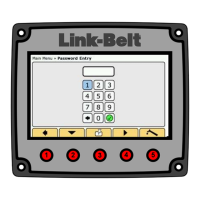
Guides users through accessing the calibration and programming menu.
Procedure to calibrate the zero point of the telescope cylinder.
Calibrates the boom length sensor by adjusting the potentiometer's soft stop.
Calibrates boom length for sections that use pin and latch mechanisms.
Calibrates boom length for sections utilizing full power extension.
Establishes the zero reference point for the boom angle sensor.
Sets the maximum angle calibration point for the boom angle sensor.
Sets the zero-degree reference for the crane's swing angle.
Sets the 180-degree reference for the crane's swing angle.
Configures the piston and rod pressure transducers for accurate readings.
Resets pressure transducer settings to factory default values.
Programs the individual sensors for each outrigger beam.
Resets outrigger sensor system faults to their default states.
Calibrates the retracted, intermediate, and extended positions of outrigger beams.
Calibrates the fly angle sensor relative to a 2-degree head angle.
Calibrates the fly angle sensor at the maximum boom angle.
Outlines the initial setup and navigation for calibrating the main winch friction.
Details the steps for calibrating friction for short boom configurations.
Covers the procedure for calibrating friction for medium boom configurations.
Covers the procedure for calibrating friction for long boom configurations.
Outlines the initial setup and navigation for calibrating the auxiliary winch friction.
Provides detailed steps for performing auxiliary winch friction calibration.
Explains how the bias slider adjusts the overall load calibration target.
Explains how the slope slider adjusts load accuracy across boom angles.
Adjusts the weight values for fly sections when the boom is erected.
Details the function of each slider used for fly weight adjustments.
Adjusts the weight values for fly sections when the boom is stowed.
Details the function of sliders for stowed fly weight adjustments.
Allows viewing of CAN traffic on specific buses for troubleshooting.
Shows all active system faults for RCL and LTC systems.
Lists the last 15 recorded system faults for analysis.
Provides information on telescope cylinder length, extension mode, and fault status.
Displays actual length and position readings for each outrigger beam.
Shows a summary of all sensors and their current active values.
Enables or disables specific counterweight selections based on crane configuration.
Configures the selection of auxiliary head and fly options.
Enables or disables winch selections and wrap options.
Configures the display of wind speed and the activation of outrigger sensing.
Allows manual entry of the front winch's rope capacity.
Allows manual entry of the rear winch's rope capacity.
Displays software versions, serial numbers, and load chart information.
Details the procedure for calibrating static friction across various boom lengths.
Calibrates friction settings for boom down movements.
Calibrates friction settings for boom up movements.
Calibrates boom down friction specifically for medium boom configurations.
Guides users on extracting HED software files from a zip archive.
Instructs on finding and launching the Pulse software application.
Guides users to locate and open the HED Programmer application.
Details the process of copying the HED program file to the correct location.
Manages file copies, including replacing existing files in the destination.
Opens the HED Display Device Programmer II application window.
Connects the laptop to the HED device via USB for programming.
Selects the specific HED files (e.g., romfs.jffs2, logo) for programming.
Initiates the HED programming process by clicking the "Start" button.
Finalizes HED programming, including re-installing fuses and powering up.
Guides on downloading and organizing ECM software files for programming.
Connects the Kvaser CAN interface between the crane and the computer.
Chooses the correct programming location (BLANK, RCL, or LTC) for the ECM.
Executes the programming of the ECM by loading selected software files.
Specifies the RCL location for programming the ECM with relevant software.
Confirms successful ECM programming and outlines post-programming steps.
Verifies the installed software version (RCL or LTC) after programming.
 General
| Brand | Link-Belt |
|---|---|
| Model | PULSE |
| Category | Construction Equipment |
| Language | English |

 To Next Page
