8
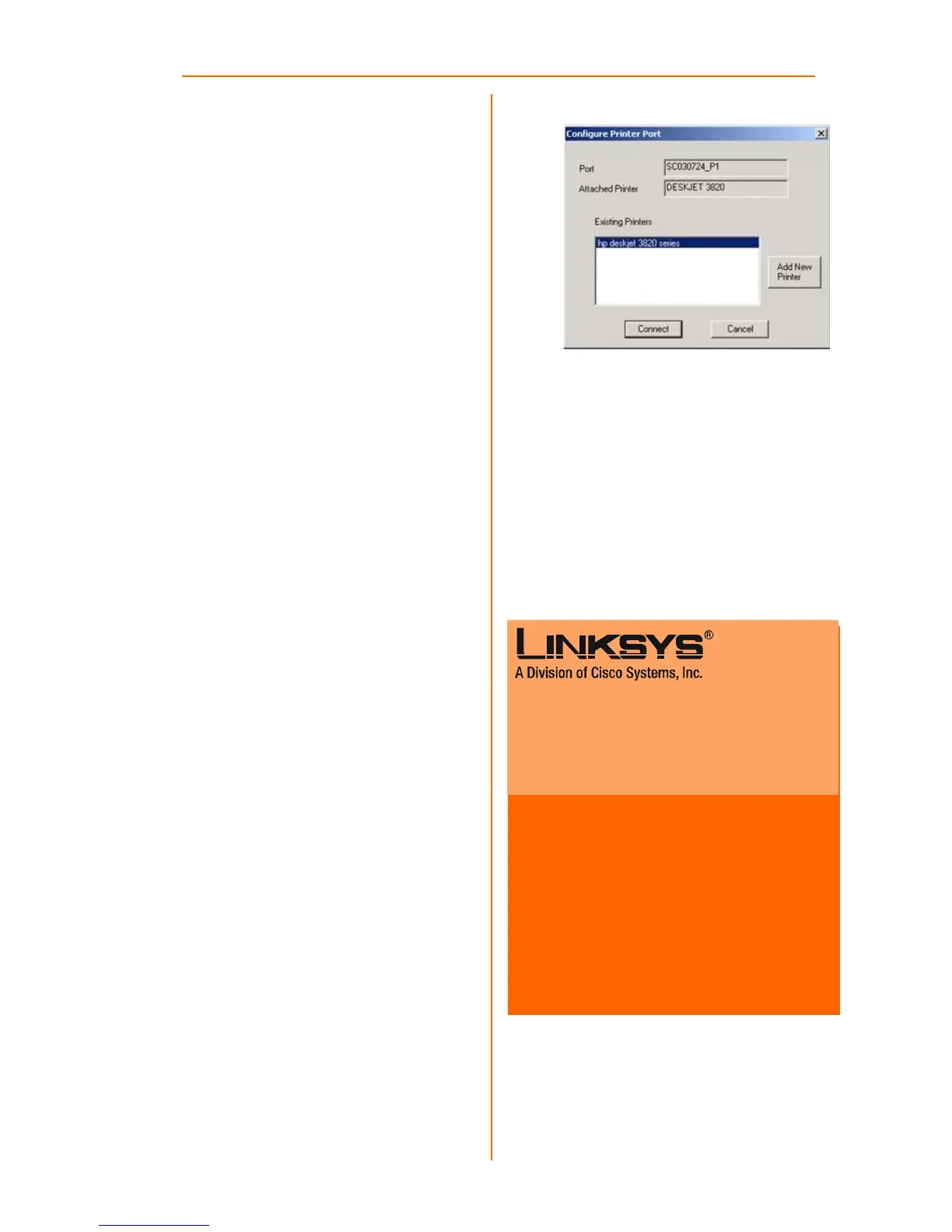
J The Configure Printer Port
screen will appear, as shown in
Figure J. Your installed printer
will appear in the field. Click
the Connect button to con-
nect the printer for configura-
tion. To add another printer,
click the Add New Printer but-
ton.
The driver installation is complete.
Congratulations!
The PrintServer installation
is complete.
PSUS4-UK-QIG-31010NC JL
For additional information or troubleshooting
help, refer to the User Guide on the Setup CD-
ROM. You can also call or e-mail for further
support.
E-mail Support
United Kingdom and Ireland
support.uk@linksys.com
Latin America
support.la@linksys.com
Website
http://www.linksys.com/international or
http://www.linksys.com/uk
Linksys is a registered trademark or trademark of
Cisco Systems, Inc. and/or its affiliates in the U.S.
and certain other countries. Copyright © 2003
Cisco Systems, Inc. All rights reserved.
J



 To Next Page