7
F
F
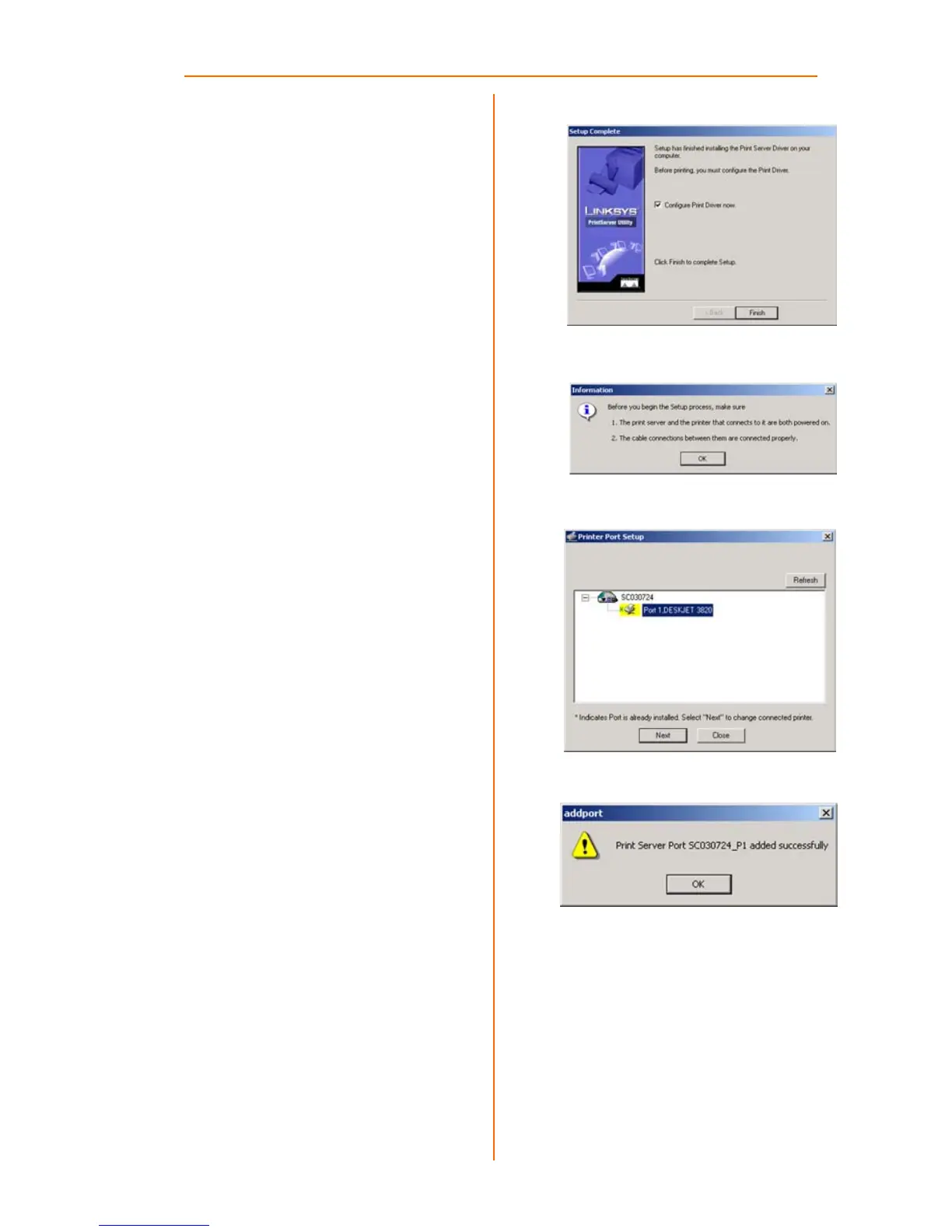
When the driver is installed, the
Setup Complete screen, Figure
F, will appear. The Print Driver
must still be configured, so
make sure that Configure Print
Driver now is selected. Click
Finish to continue.
G The Information screen
appears next. See Figure G.
Read the information, then
click OK.
H The Printer Port Setup screen will
appear, as shown in Figure H,
and list the PrintServer and the
connected printers. Select a
printer, then click Next.
If the PrintServer or printer isn’t
listed, make sure that the
cable connections are good
and that the PrintServer and
printer are on.
I You will be informed that the
PrintServer Port has been
added successfully. (Figure I.)
Click OK.
G
H
I



 To Next Page