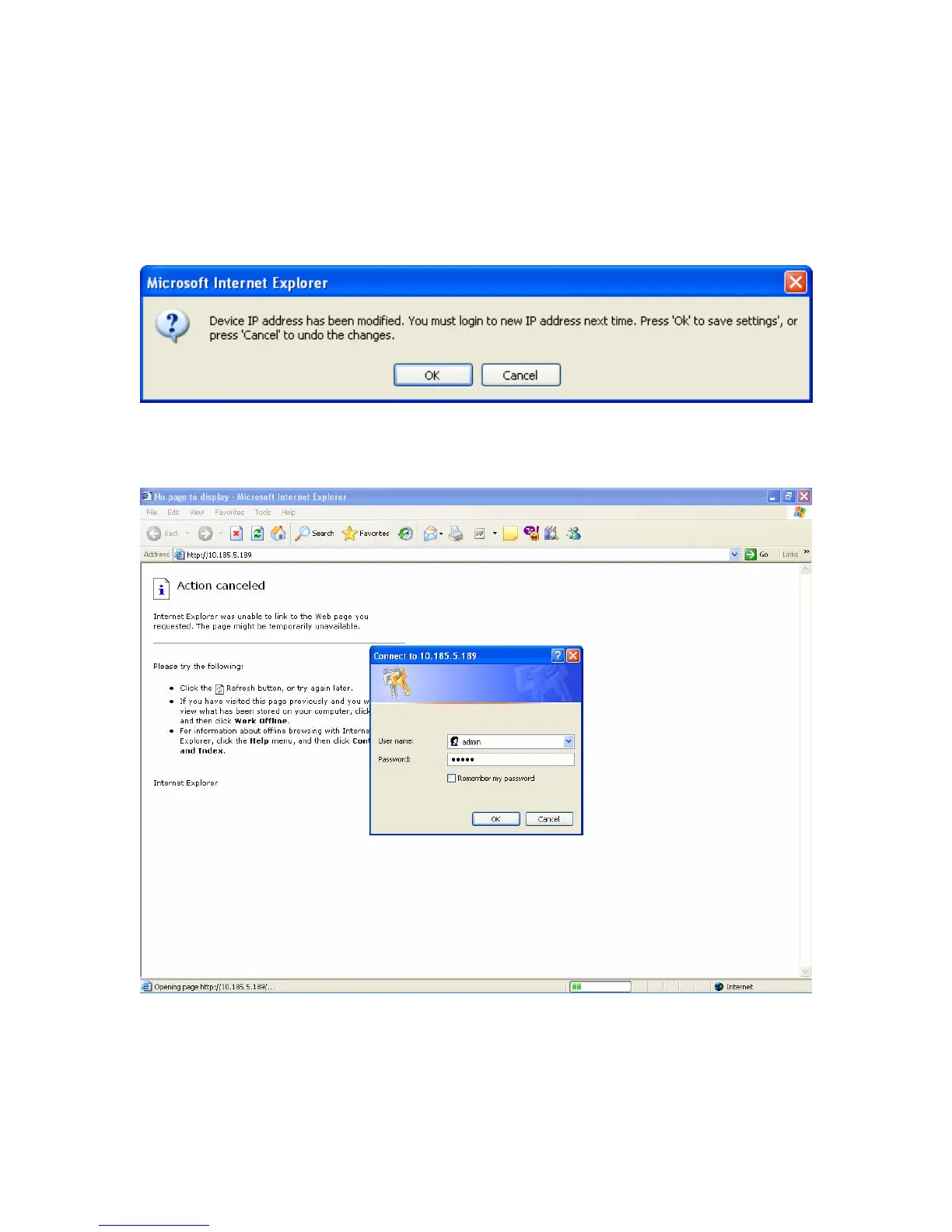
Special Note: At this point you will be required to log in again to the router
management system. You MUST insure that the IP address for your local machine
has changed from the old address range (192.168.1.x) to the new address range that
you input in the previous step 1.17!
Click “OK” to accept the change for the IP Addressing.
The address for Admin login has now changed to your address range provided by
Galileo. The User Name & Password remain the same.
18


 To Next Page
 Loading...