Packing list
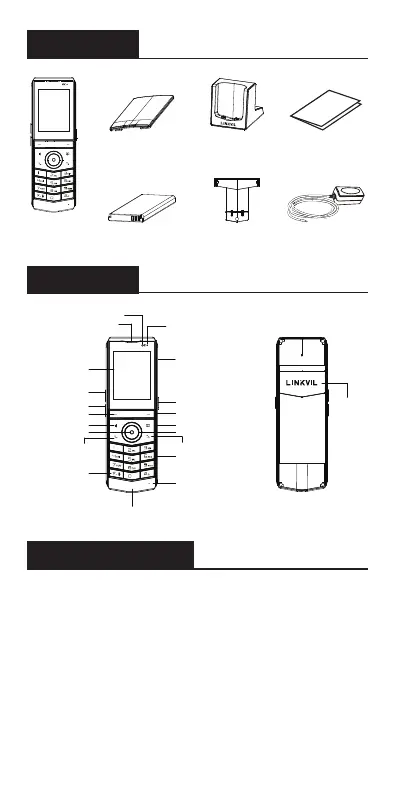
Handset
Belt Clip
Quick Start Guide
Battery Cover
Portable
Wi-Fi Phone
Rechargeable Battery Power Adapter
Charging Base
Distance sensor
Earpiece
Status Indicator
Speaker
Headphone jack
PTT key
Soft key
Phone book
Keypad
Microphone
Charging interface
On-hook key/Power
Off-hook key
Mute key
Hands-free
Soft key
Screen
Volume Key +
Volume Key -
Navigation key
OK key
Install the battery
1. Remove the rear case: Remove the rear case of
the whole machine with a little force from the handle
position A of the rear case of the main unit.
2. Install the battery: Take out the battery from the
packaging box, with the battery with the notch facing up,
put the battery C at the battery compartment C, and pull
the battery button until it completely fits the underside
of the battery.


 To Next Page