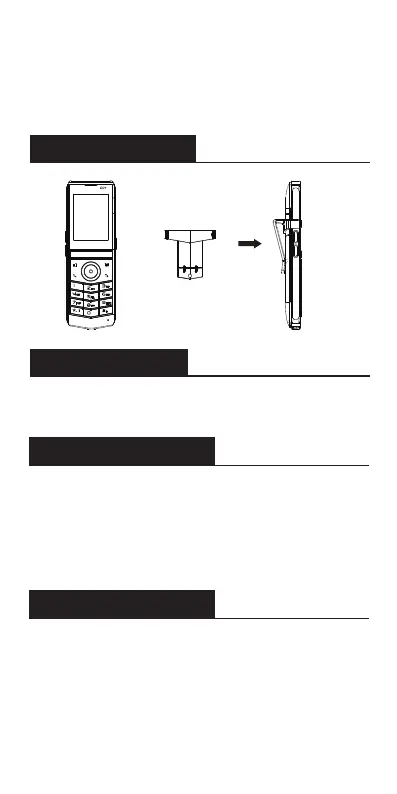
Install the belt clip
Connect Wi-Fi
Configuration
Configuration via Web
Note:
1.Use Fanvil-supplied power adapter (5V/2A).
A third-party power adapter may damage the handset.
2.Check the charging status on the top-right corner of
the LCD screen.
1.Press Menu >Basic>9 WLAN.
2.Select Wi-Fi.
Configuration via Phone
1.Press Menu > Advanced Settings
(Default password 123).
2.Select Accounts: To configure enable the account,
fill the SIP server address, port, user name,
password etc.
1.Get the IP address from the phone: Press Menu
> Status >1Network >Wi-Fi IP.
2.Login: Input the IP address in the web browser.
The PC and phone should be in the same IP address
segment (The default username and password are
both ‘admin’.)
3.Configure: Select Accounts, and fill the relevant
content.


 To Next Page