
 Need help?
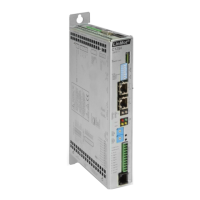
Do you have a question about the LinMot C1251-MI-XC-2S-XE and is the answer not in the manual?
Lists related documents and download sources for manuals and software.
Details the PROFINET network connection ports (X17 and X18) for easy setup.
Explains configuration of bidirectional PDO modules for data exchange.
Details the output PDO modules and their parameter channels for data transmission.
Covers input PDO modules, including actual position, demand position, and current data.
Describes parameters for PROFIdrive profile area, including telegram selection and operating mode.
Explains accessing drive parameters via UPID and offsets for manufacturer-specific data.
Lists supported services (request IDs) for parameter access, such as reading and changing parameters.
Configures the PROFIdrive interface, enabling or disabling the PROFINET connection.
Sets the byte order for transmitted data, crucial for S7 PLC compatibility.
Defines the word order for transmitted data, ensuring correct interpretation.
Assigns UPIDs to monitoring channels for drive status and performance tracking.
Defines destination UPIDs for parameter channels, enabling data mapping.
Specifies the drive axis type (linear or rotative) for correct configuration.
Sets reference velocity for normalized set-point values based on axis type.
Configures settings for Manual Data Input (MDI) mode, mapping position and velocity directly.
Configures reference mark sources for position feedback, essential for homing.
Adjusts anti-windup gain for telegrams 5/105 to reduce position error.
Sets the Life Sign Tolerance parameter for axis monitoring.
Details the RJ-45 connector pin assignments for PROFINET connectivity.
Guides integration of LinMot Safety PROFIdrive with Siemens S7-1500 PLC using TIA Portal.
Step-by-step guide for configuring the TIA project, including device setup and network configuration.
Instructions for creating and configuring technology objects, specifically positioning axes, in TIA Portal.
Steps for compiling the project and downloading the PLC configuration to the target system.
Explains how to use the commissioning panel to move the axis and set operating modes.

 To Next Page
 General
