Need help?
Do you have a question about the Linn Klimax DSM and is the answer not in the manual?
Remove product from packaging and place on a flat surface. Retain packaging for future transport of Klimax DSM.
Place unit on a flat, stable and rigid surface. Place unit within range of your network router or switch.
Switch off power amplifiers or mains-powered speakers before making connections.
Connect the Klimax DSM to your network and power it on. The control dial will show a shimmering pattern.
Install Kazoo app, detect DS players, select room, and sign into your Linn Account to add the Klimax DSM.
Open a web browser, log into your Linn Account, and configure the Klimax DSM, including naming rooms.
Use the Kazoo App or control dial to bring the unit out of standby, adjust volume, and select sources.
Visit linn.co.uk/klimaxdsm for further information on using and configuring your Klimax DSM.
Your Klimax DSM has a 5-year parts and labour warranty. Visit linn.co.uk for product news and notifications.
Visit linnrecords.com for a wide selection of recordings available as Studio Master downloads, CD/SACD or vinyl.
Contact details for Linn Products Limited including phone, fax, helpline, and website.
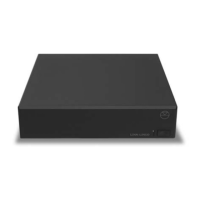
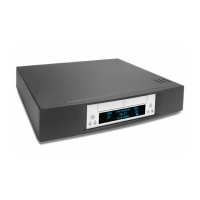
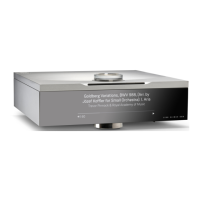
The Linn Klimax DSM is a high-performance network music player designed to deliver exceptional audio quality. It serves as the central hub for a sophisticated audio system, capable of streaming music from various sources, connecting to external audio and video components, and integrating with Linn's Exakt loudspeaker systems.
The Klimax DSM's primary function is to act as a digital stream player (DSM), allowing users to access and play digital music files from their network, as well as connect and process audio from a wide range of external sources. It supports high-resolution audio playback, ensuring that music is reproduced with accuracy and detail. The device can be integrated into a home network, enabling control via dedicated applications on various devices such as PCs, Macs, Android phones, iPhones, and iPads.
When connected to a power amplifier, the Klimax DSM outputs audio signals through either its Analogue Out or Balanced Out sockets. For users with Linn Exakt loudspeakers, the Klimax DSM can directly drive these speakers, forming a fully digital and optimized audio chain. It also features multiple input options for external sources, including HDMI, SPDIF, and TOSLINK, allowing for the integration of devices like Blu-ray players, DVD players, and satellite TV receivers. The HDMI output ensures that video signals from connected sources are passed through to a display device, even when the Klimax DSM is in Sleep mode, maintaining a seamless AV experience.
The Klimax DSM is designed to be a versatile and central component of a modern home entertainment system, providing both high-fidelity audio playback and comprehensive connectivity for various media sources.
The Klimax DSM offers intuitive control and setup processes, making it accessible for users while providing advanced configuration options for audiophiles.
Upon unpacking, the unit should be placed on a flat, stable, and rigid surface, ensuring adequate air circulation around it. It's crucial to retain all original packaging for potential future transport. The initial setup involves connecting the Klimax DSM to the network using a standard Ethernet cable or a Fibre Ethernet cable for optical connectivity. Before making any connections, it is recommended to switch off any power amplifiers or mains-powered speakers in the system.
The Klimax DSM integrates into a home network, ideally within range of a network router or switch. Linn recommends using separate, dedicated network components (router, switch, wireless access point) for optimal performance, or an integrated router/switch/wireless device. Direct connection to a home broadband router is less preferable.
Control of the Klimax DSM is primarily managed through the Linn Kazoo app, available for PC, Mac, Android, and iOS devices. After installing and launching the app, it automatically detects connected Linn DS players on the network. Users can then select their Klimax DSM, which initially appears as "MAIN ROOM." The app allows for comprehensive configuration, including naming the room, setting up connected sources, and assigning Exakt loudspeakers to left and right channels if applicable.
The Klimax DSM features a control dial on the unit itself, which provides direct interaction:
The Klimax DSM supports a variety of external audio and video sources. For HDMI video sources, it's essential to connect an HDMI cable from the source to an HDMI IN socket on the Klimax DSM, and another HDMI cable from the Klimax DSM's HDMI OUT to the display device. This ensures that video is displayed and audio is passed through, even when the Klimax DSM is in Sleep mode. For users with a Network Attached Storage (NAS) device, ensuring it is connected to the network and powered on is crucial for accessing stored music files.
Users can manage their Klimax DSM through the Linn account system via a web browser. This allows for further configuration and access to music systems.
The Klimax DSM is designed for reliability and longevity, with minimal user maintenance required beyond proper placement and handling.
Users are advised to retain all original packaging. This is crucial for safely transporting the Klimax DSM if it needs to be moved or serviced, protecting it from potential damage.
The Klimax DSM comes with a 5-year parts and labor warranty as standard, indicating Linn's commitment to product quality and durability. Users can register their product on the Linn website to receive product news and notifications. For any issues or questions, Linn provides comprehensive support through their website, helpline, and email. The online documentation and troubleshooting guides offer further assistance for setup, configuration, and general use.
While not explicitly detailed as a maintenance feature, the nature of a network music player implies that firmware and software updates will be provided by Linn to enhance functionality, improve performance, and address any potential issues. These updates typically occur over the network, ensuring the device remains current and optimized.
In summary, the Linn Klimax DSM is a sophisticated and user-friendly network music player that prioritizes high-fidelity audio and seamless integration into modern home entertainment systems. Its design focuses on ease of use, comprehensive connectivity, and long-term reliability, supported by a robust warranty and dedicated customer support.
 General
| Type | Network Music Player |
|---|---|
| Analogue Outputs | XLR, RCA |
| Audio File Formats | FLAC, ALAC, WAV, AIFF, MP3, AAC, WMA, OGG |
| Streaming Services | Tidal, Qobuz |
| Dimensions | 350 mm (W) x 355 mm (D) x 60 mm (H) |

 To Next Page