
 Need help?
Do you have a question about the Linocell 69634 and is the answer not in the manual?
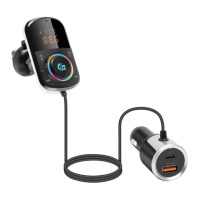
List of items included with the wireless audio car kit, such as transmitter, power adapter, and clips.
Instructions on setting the FM frequency for audio transmission to the car stereo.
Steps to connect the device to a Bluetooth-enabled device for wireless audio streaming.
How to use the device with an inserted Micro SD card for music playback.
Instructions for turning the transmitter on and off.
How to play, pause, change tracks, and adjust volume.
Steps to activate Siri or Google Assistant via the device.
How to switch between Bluetooth and SD card playback modes.
How to cycle through or turn off LED light effects.
Instructions for answering, hanging up, and rejecting calls.
How to dial the last called number.
How to switch audio between phone and car speakers during a call.
 General
| Brand | Linocell |
|---|---|
| Model | 69634 |
| Category | Automobile Accessories |
| Language | English |

 To Next Page