Need help?
Do you have a question about the LINOVISION IOT-R32W and is the answer not in the manual?
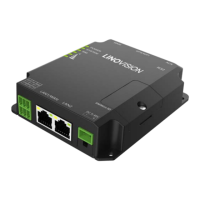
Identifies and describes the main components and indicators on the R32W router hardware.
Provides the physical dimensions of the R32W router in millimeters.
Details the pin assignments and functions for the RS232, RS485, DI, DO, and COM connectors.
Explains the meaning of the POWER, SYSTEM, SIM, and Signal Strength LED indicators.
Describes how to perform a factory reset using the reset button under the SIM slots.
Details the status and function of the Ethernet port link indicator light.
Specifies the power input, consumption, operating temperature, and humidity for the router.
Provides step-by-step instructions for inserting the SIM card and Micro SD card into the device.
Guides on how to install and position the cellular and Wi-Fi antennas for optimal signal.
Instructions for securely mounting the router to a wall using specific screws and torque.
Instructions for mounting the router onto a standard DIN rail using a mounting bracket.
Steps to configure your PC's network settings, specifically Ethernet properties, for router access.
Details on accessing the router's web interface using default IP, username, and password.
Guidance on changing the default password for enhanced device security.
Configures the router's Ethernet port for WAN connection using static IP or DHCP.
Steps to configure the cellular connection using a SIM card, including APN and network settings.
Sets priority for WAN and cellular connections to ensure network continuity.
Configures ICMP ping settings for network monitoring and diagnostics.
Monitors the status of the cellular connection and SIM card registration.
 General
| Brand | LINOVISION |
|---|---|
| Model | IOT-R32W |
| Category | Wireless Router |
| Language | English |

 To Next Page