1
1. Connection Guide
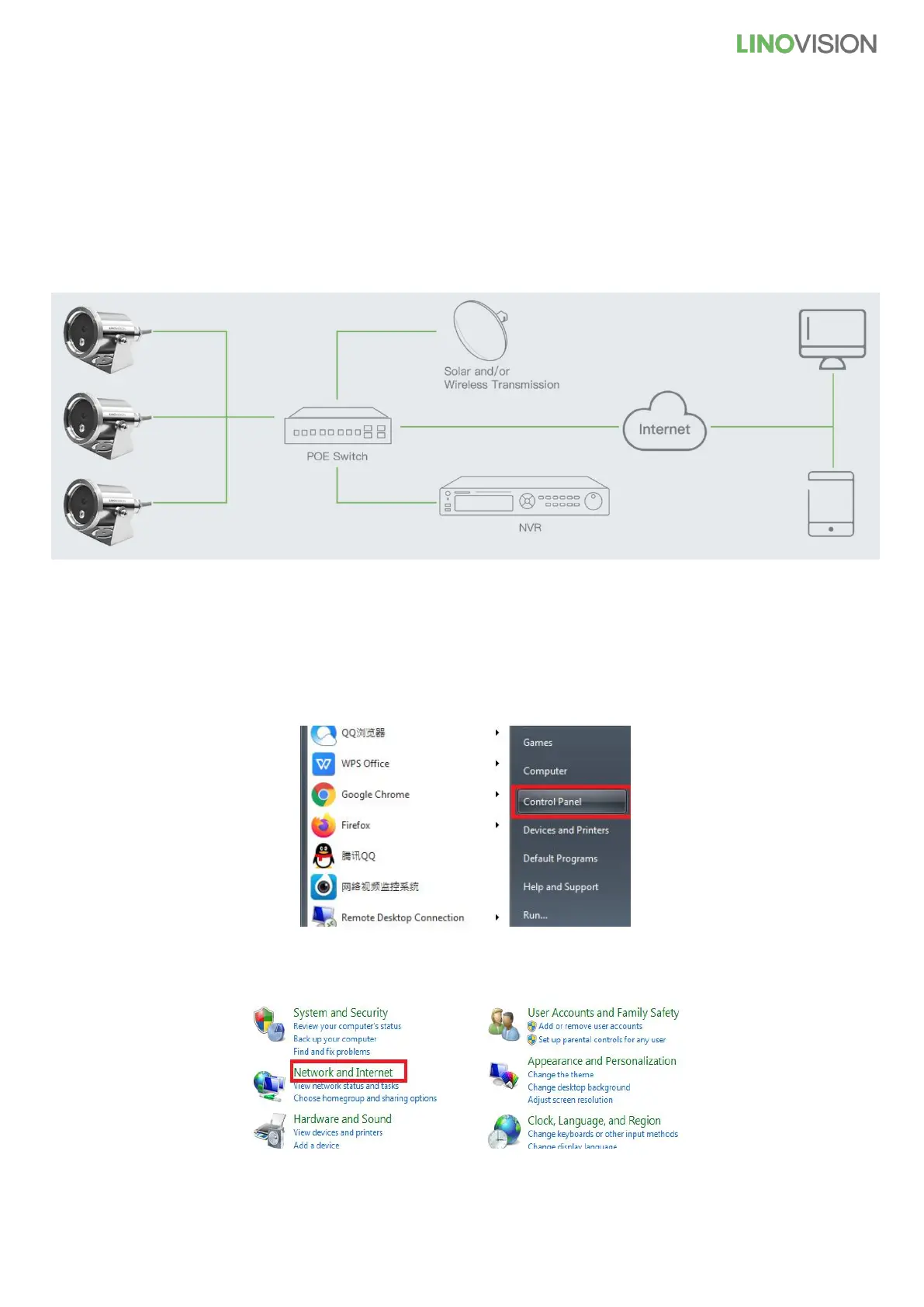
It is an overall connection application diagram, among underwater camera, PoE Switch, PC, NVR, Smart Phone,
etc. Please see below.
Note: the camera also support DC12V power supply.
2. Access Camera from WEB Browser
Note: Before you access camera from WEB Browser, please check the computer network segment. (as
following)
1) Click the “Start” and click the “Control Panel”
2) Click the “Network and Internet”



 To Next Page