3. Access Camera via NVR
Note: Ensure the camera has been connected, then do the following steps.
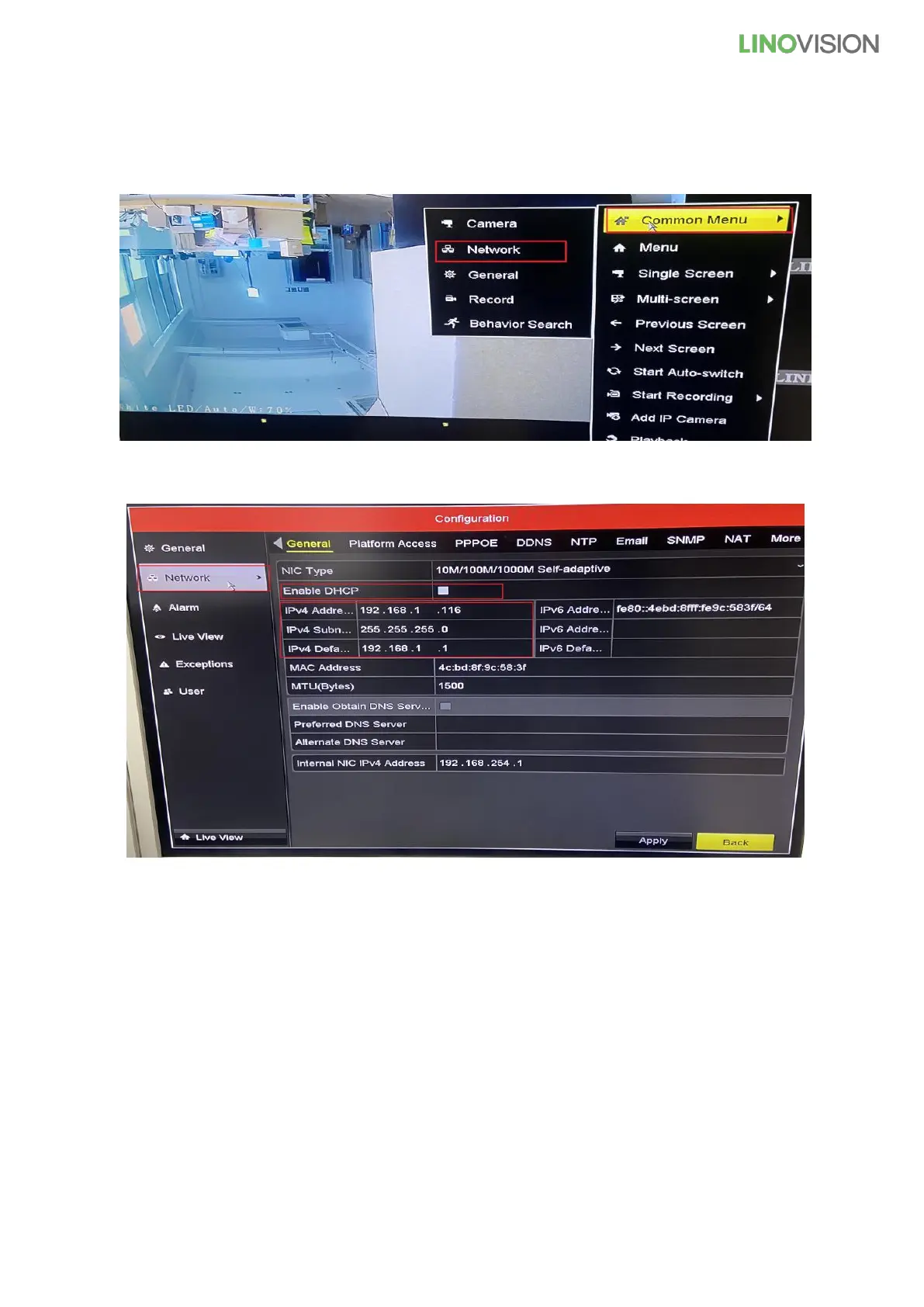
1) Click the right mouse button, choose the “Common Menu” and “Network”
2) Cancel √ and enter “IPv4 Address / IPv4 Subnet Mask / IPv4 Default Gateway”
IPv4 Address: 192.168.1.xxx (0-255)
IPv4 Subnet Mask: 255.255.255.0
IPv4 Default Gateway: 192.168.1.1



 To Next Page