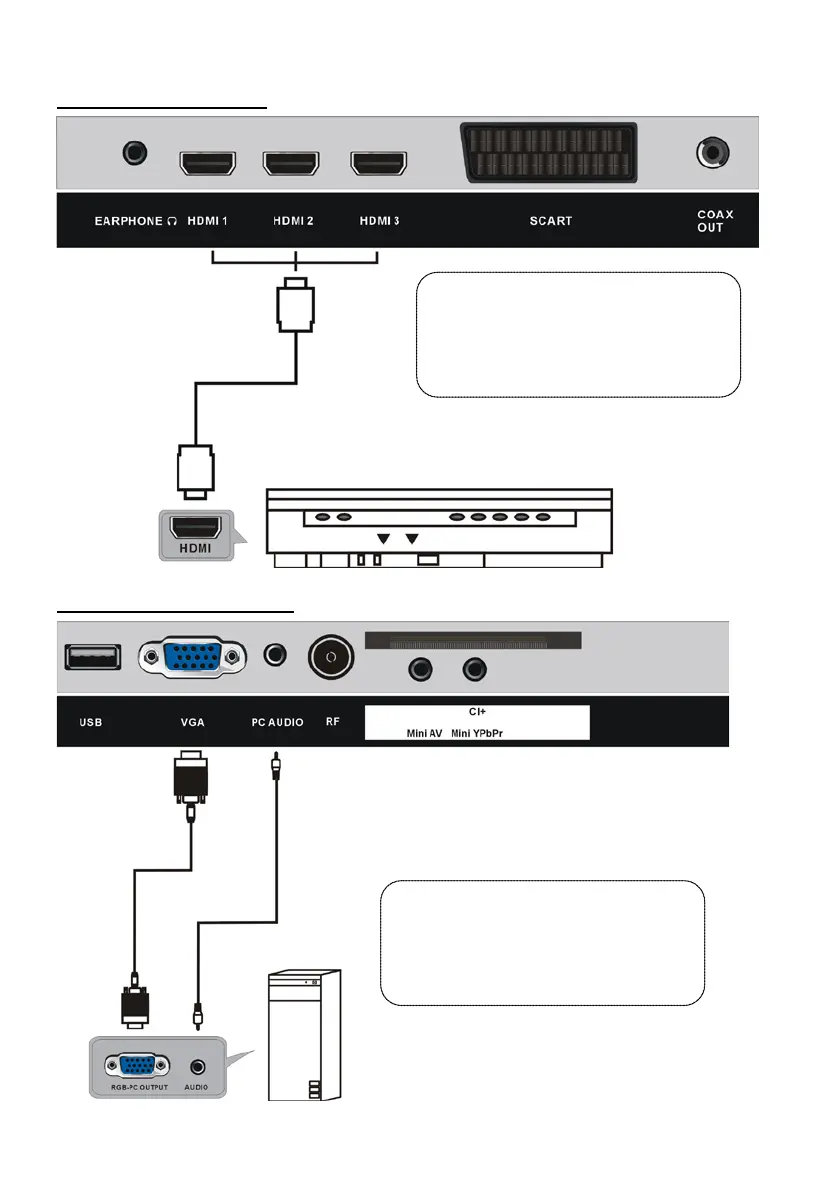
HDMI CONNECTION
PC/VGA CONNECTION
HDMI cable
(Not included)
Use HDMI cable to connect the unit
with other devices to receive
high-definition multimedia signal.
Back of DVD/VCR
Back of PC
Use VGA cable and Audio cable to
connect the unit with TV or PC, and use
this product as a monitor.
VGA cable
(Not included)
Audio cable
(Not included)



 To Next Page