Max Volume: Set the maximum volume.
Default Volume: Set the default volume.
Clear Lock: Clear above settings.
DataBase Export: Export database to other devices.
DataBase Import: Import database from other devices.
4.2 Language
- Press OK or RIGHT navigation button to enter submenu. Then select preferred OSD menu
language, subtitle language, audio language, and DTV/ATV TELETEXT language using
navigation buttons.
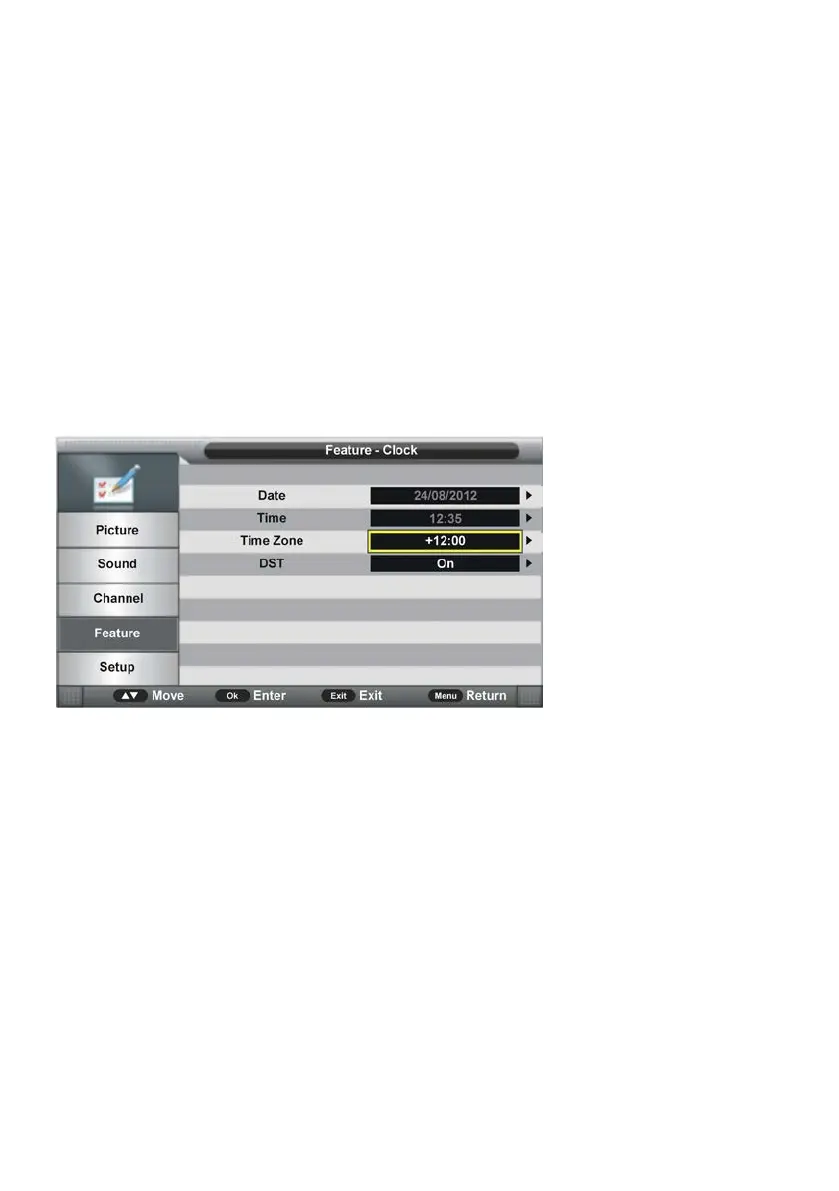
4.3 Clock
- Press OK or RIGHT navigation button to enter submenu.
- Press UP/DOWN navigation button to select preferred item.
4.31 Date
When auto searching is done, this unit will get the date from the signal and save it
automatically.
4.32 Time
When auto searching is done, this unit will get the time from the signal and save it
automatically.
4.33 Time Zone
- Press OK or RIGHT navigation button to enter submenu and press UP/DOWN navigation
button to select preferred option.
4.34 DST (Daylight Saving Time)
This item is used to turn on/off DST function.



 To Next Page