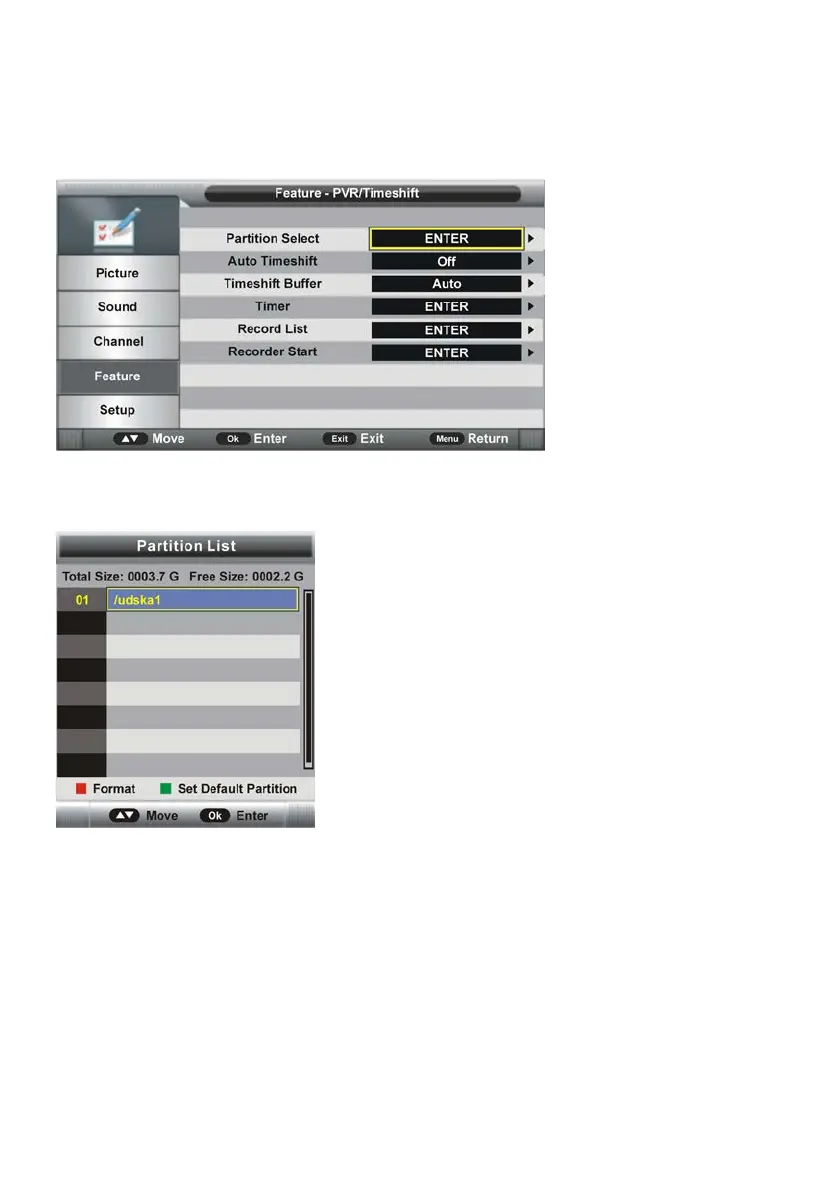
4.8 PVR/Timeshift
- Press OK or RIGHT navigation button to enter submenu.
- Press UP/DOWN navigation button to select preferred item.
4.81 Partition Select
- Press OK or RIGHT navigation button to enter submenu.
- Press RED button to enter a dialog box and then select OK to format your USB memory
device.
- Press GREEN button to set default partition.
4.82 Auto Timeshift
This item is used to turn on/off Auto Timeshift function.



 To Next Page