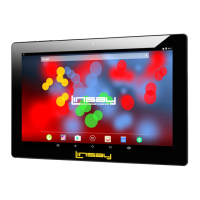
Need help?
Do you have a question about the Linsay F10XIPS and is the answer not in the manual?
Provides essential safety guidelines for using the tablet, including impact, environmental, and magnetic field precautions.
Explains how to navigate the tablet using the on-screen navigation buttons.
Details how to use touch gestures like touch, swipe, drag, pinch, and rotate on the screen.
Explains how to set custom wallpapers from photos or system images.
Guides on organizing app icons and using the All Apps screen.
Guidance on operating the device's camera to take photos and videos.
Tips on optimizing the tablet's performance for better speed and responsiveness.
Strategies to extend battery life by managing power consumption and features.
Methods to reduce mobile data consumption and manage network activity.
Step-by-step guide on connecting the tablet to wireless networks.
Instructions on setting up screen locks and securing the device against unauthorized access.
Instructions on how to contact LINSAY for warranty claims and support.
Lists specific conditions and damages not covered by the limited warranty.
 General
| Screen Size | 10.1 inches |
|---|---|
| Display | IPS |
| Resolution | 1280 x 800 pixels |
| Camera (Rear) | 5 MP |
| Camera (Front) | 2 MP |
| Battery | 6000 mAh |
| Connectivity | Wi-Fi, Bluetooth |
| Operating System | Android |
| Processor | Quad Core |

 To Next Page