EasyManua.ls Logo

Linsay F10XIPSQ - User Manual

Linsay F10XIPSQ
95 pages
Print Icon
To Next Page IconTo Next Page
Loading...
www.LINSAYdigital.com Copyright C 2021 LINSAY.All right reserved
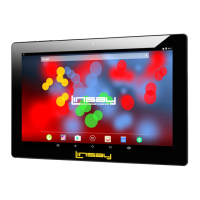
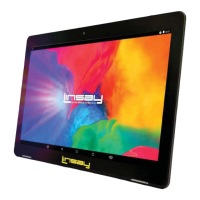
F10XIPSQ 10.1 TABLET PC ANDROID User Manual
Question and Answer IconNeed help?

Do you have a question about the Linsay F10XIPSQ and is the answer not in the manual?

Summary

FCC Class B Information

NOTICE

Important notices regarding compliance and modifications.

SAFETY PRECAUTIONS

Essential safety measures to protect the user and device.

Safety Symbol Explanation

Cautions and Usage Advice

Hearing Protection Advice

Advice on listening volume to prevent hearing damage.

Establishing Safe Volume Level

Steps to set a safe listening volume level.

Device Buttons and Ports

Getting Started

Navigating the Device Interface

Navigating the tablet's interface and basic operations.

Touchscreen Interaction Basics

How to interact with the touchscreen for typing and gestures.

Optimizing Device Performance

Optimize Battery Life

Tips to extend the tablet's battery duration.

Optimize Data Usage

Managing and reducing mobile data consumption.

Optimize Memory Usage

Improving the tablet's performance by managing memory.

Touchscreen Operations and Gestures

Main Settings Menu Overview

Changing the Device Wallpaper

Managing Applications

Adding Widgets to Home Screens

User Accounts and Contacts

Users & Accounts Management

Managing user accounts and their settings.

Calendar Management

Tune Device Performance

Optimize Battery Life

Tips to extend the tablet's battery duration.

Extend Battery Life

Specific methods to maximize battery usage.

Optimize Data Usage

Check Battery Level and Usage Details

Viewing battery status and how apps consume power.

Data Usage Settings Configuration

Set Data Usage Warning

Setting up alerts for data usage thresholds.

Set Data Usage Limit

Establishing a maximum limit for data usage.

Optimize Memory Usage

Using the Apps Screen

App Management Options

Force Stop App

Option to terminate misbehaving applications.

Uninstall App

Procedure to remove applications and their data.

Clear App Cache

Clearing temporary app data to free up memory.

App Permissions Management

Reviewing app access rights and permissions.

Text Input and Editing

Keyboard Usage

Basic Text Editing

Tips and Shortcuts

Connecting to Wi-Fi Networks

Wi-Fi Network Connection

Add a Wi-Fi Network

Adding new Wi-Fi networks to the device's memory.

Wi-Fi Network Management

Connecting External Devices

Keyboard Usage

Using the keyboard for text input and navigation.

Mouse Operation

Connecting to a Windows Computer via USB

Account Management

Add an Account

Detailed steps for adding new accounts to the device.

Users & Accounts Settings

Removing an Account

Account Synchronization Options

General Sync Settings Configuration

Manual Sync Information

Changing Account Sync Settings

Securing Your Tablet

Set Screen Lock

Configuring the device's screen lock feature.

Special Attention Required

Warranty Policy Details

One-Year Limited Warranty

Specifics of the one-year warranty coverage.

LINSAYs Warranty Responsibility

How to Obtain Warranty Service

Warranty Coverage Exclusions

Owners Responsibility for Warranty

Linsay F10XIPSQ Specifications

General IconGeneral
Display Size10.1 inches
Display Resolution1280 x 800 pixels
ProcessorQuad-Core
RAM1 GB
Storage16 GB
Operating SystemAndroid
Camera (Rear)2 MP
Battery Capacity6000 mAh
Internal Storage16 GB
Resolution1280 x 800 pixels

Related product manuals