lion alcolmeter
®
SD-400 User Handbook [v7]
7. Clock and Calendar
The alcohol reading from each breath test is stored in memory, with
time and date. To check the accuracy of the time and date function,
switch the instrument on and when the READY light is on, press and
release B. The time (hh:mm) then the date (dd:mm) are displayed.
To re-set the time and date, the Dongle security key is needed.
Follow the procedure set out below:
1. Fit the Dongle key into the communications port;
switch on and, before the diagnostics sequence is
complete, press and hold down B. The system is
now in Manual Time and Date Set mode: release B.
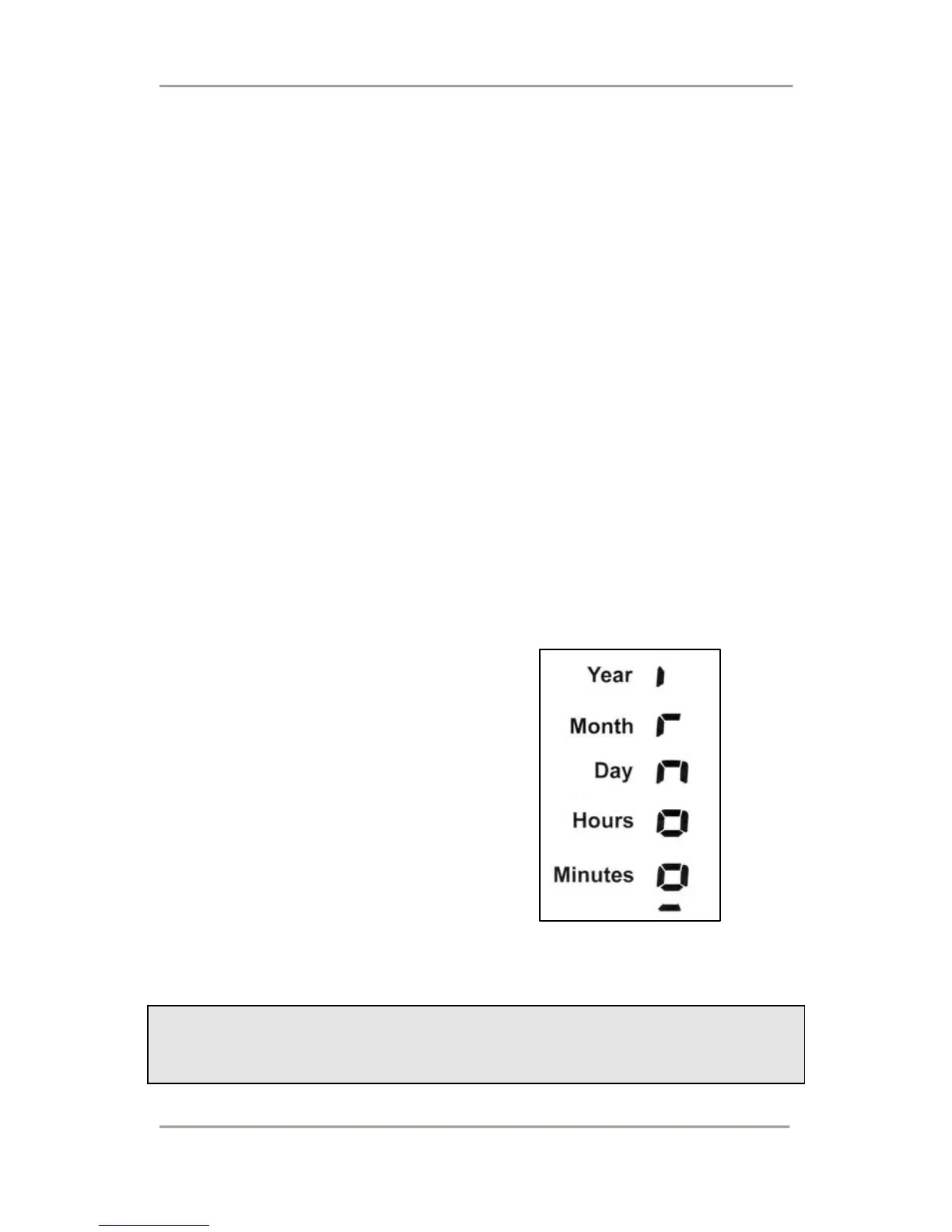
2. The date and time can now be
set against the symbols on the
display. In each case, use B or
D to adjust this value, then C to
enter and move to the next.
3. When all five periods have been
set, the SD-400 displays the
new time and date; then it
switches itself off.
IMPORTANT NOTE:
Any inaccuracy in the time or date settings has no effect on
breath sampling or the accuracy of alcohol measurement.
19


 To Next Page