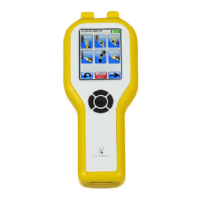
lion alcolmeter
®
SD-400 User Handbook [v7]
2AL) and allow vapour to flow for at
least six seconds.
After about five seconds, but with vapour still flowing,
press and release C to take a sample of the vapour into the
SD-400. Now release the cylinder control to stop gas flow.
4. Note Reading
The reading given should normally be within plus or minus
0.03mg/l BrAC of the value of the AlcoCal
®
alcohol
standard, at the 0.35mg/l level. In other words, for a
0.35mg/l standard, the reading should be in the range 0.32 –
0.38mg/l. Using an AlcoCal
®
at 0.22mg/l the acceptable
range is proportionately lower, at 0.20 – 0.24mg/l. However,
it is emphasised that these stated ranges are for guidance
only: what constitutes an ‘acceptable’ reading during the
check procedure must ultimately be a decision of the user
authority, and the method and purpose of use of the
instrument itself.
If the reading was outside the acceptable range, wait for the
READY light to come on, then repeat the Calibration Check
procedure. If the reading is still outside the acceptable
range, the instrument requires Calibration Adjustment.
9D. Calibration ADJUSTMENT
First, you will also need a Dongle electronic key to put the SD-400
into Calibration Adjustment Mode.
27


 To Next Page