lion alcolmeter
®
SD-400 User Handbook [v7]
26
measurement, as previously described). Now fit the
Dispensing Top to the AlcoCal
®
-M, or the Connector Tube
to the regulator of the AlcoCal
®
-2AL. If the AlcoCal
®
-2AL
has not been used within the previous two hours, press and
hold down the push-button for about five seconds to flush
out of the regulator of any stale and depleted alcohol vapour.
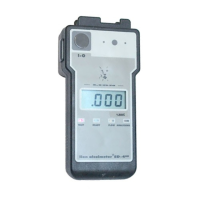
2. Prepare the SD-400 Instrument
First, ensure this has not been used at all in the last hour.
Now put it into its Calibration Check Mode. This ensures
the SD-400 is in its correct temperature range; sets up the
digital display for use in this function; and stores the check
readings in a separate memory to that used for subject tests.
Switch the instrument on and then IMMEDIATELY press and
hold down C. This MUST be done BEFORE the diagnostics
sequence is complete. When a continuous tone is heard,
release C and wait for the READY light to flash [the display
shows the software version (eg 3.9)]. When the READY
light flashes, press and release B. The display shows CHC,
meaning the SD-400 is now in Calibration Check Mode.
3. Take Sample
When the READY light comes on, fit a new spigot
mouthpiece to the SD-400, then push this over the
Dispensing Top on the AlcoCal
®
-M or the Connector Tube
on the AlcoCal
®
-2AL to form an airtight fit. Push down the
Dispensing Top (AlcoCal
®
-M) or push-button (AlcoCal
®
-


 To Next Page