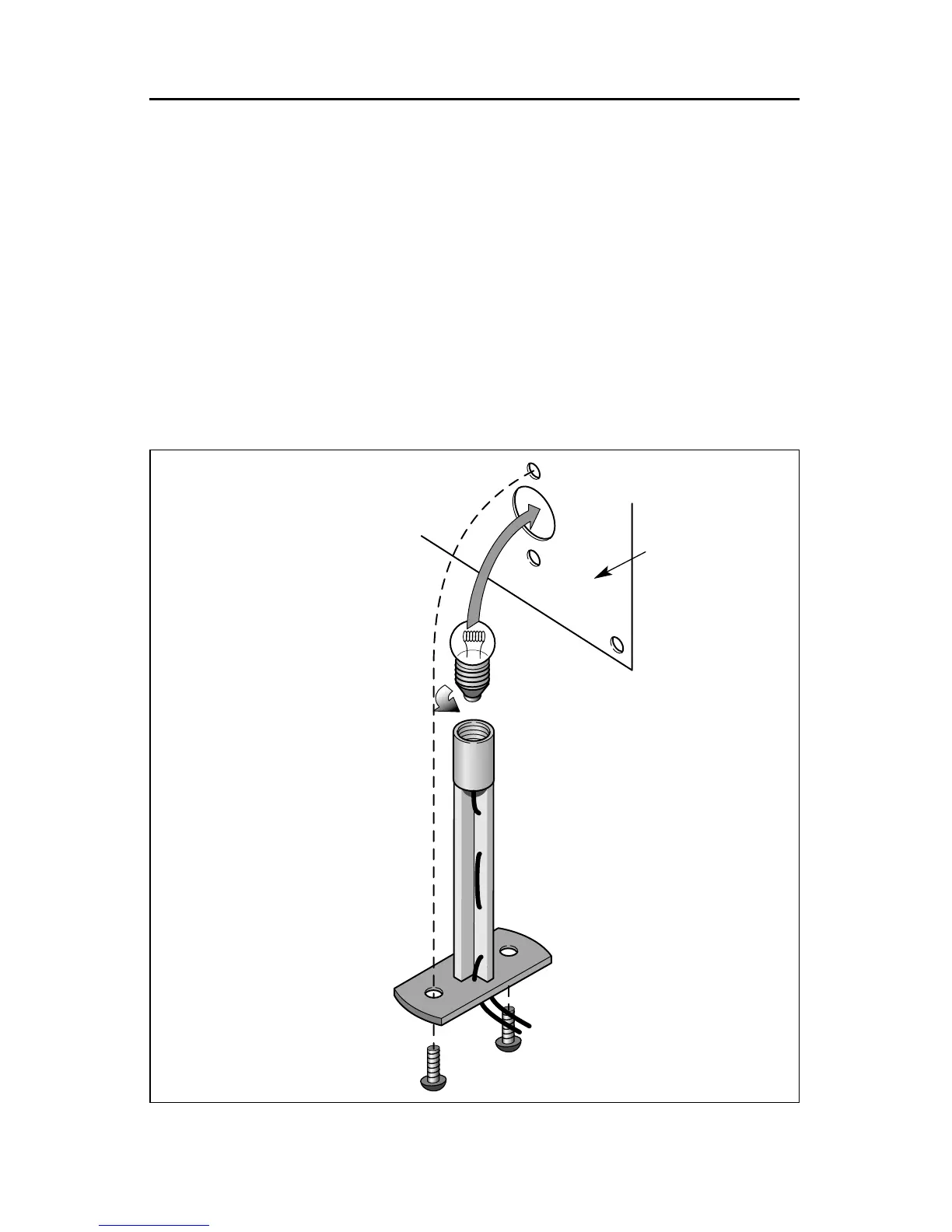
Replacing the lamps in your Lighthouse
T
hree lamps illuminate your Lighthouse. Two LEDs illuminate the rotating beacon; these
lamps should never require replacement. During the course of normal operation, the lamp
that illuminates the interior of the tower may require replacement. Follow these steps and refer
to Figure 4 as you replace the lamp.
1. Remove the two screws located on the bottom of the base.
2. Slide the entire lamp unit down through the base.
3. Gently unscrew the expired lamp.
4. Replace the lamp with lamp no. 600-1447-300, available from your local Authorized Lionel
dealer or service station.
5. Follow these steps in reverse order to replace the lamp assembly.
6
Figure 4. Interior lamp replacement
Remove the two screws on
the bottom of the base
Pull the entire unit out from
the tower
Unscrew
the lamp
Bottom of
the base








 To Next Page