Auto Power Off
Earphones will automatically turn off if there is no operation for 3
minutes after removing from the charging case.
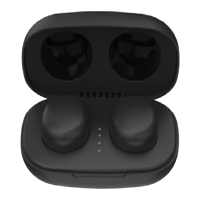
Pairing Left and Right Earphones
If the connection from right to left is lost, place both earphones back in
the charging case. Wait a few seconds and then remove both earphones
from the charging case and they will re-connect automatically. If this
procedure does not work, disconnect the earphones from your device,
wait a few minutes, then reconnect them (both earphones must be
placed inside the charging case). For both procedures it is necessary that
the earphones inside the charging case are charging, make sure that the
charging case is sufficiently charged to complete this function.
Maintenance
Do not use abrasive cleaning solvents to clean the product. Do not touch
the product with any sharp object as this will cause scratching and
damage. Please keep the product away from high-temperature, dust,
humidity & liquids.
Multifunction Buttons
NOTE: Some features may differ pending paired device software versions
and platforms.
Play / Pause
Reply/End Calls
Refuse Calls
Previous Track
Next Track
Volume -
Volume +
Voice Assistant
Right Earphone (R)
Single Click
Single Click
Press and Hold
Double Click
Triple Click
Pr
ess and Hold
for 3 Seconds
Left Earphone (L)
Single Click
Single Click
Press and Hold
Double Click
Triple Click
Press and Hold
for 3 Seconds


 To Next Page