When the alarm rings, touch any button to turn off. If there is
no operation the alarm lasts for 1 minute and will automatically
enter into snooze mode for 9 minutes. Press any button to turn
off snooze. After 9 minutes the alarm will sound again. After 3
times, the alarm will turn off automatically.
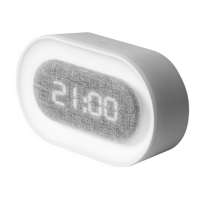
• Night light setting: Press button to turn ON/OFF night light.
Once the light is on, press and hold the button to adjust the
brightness. The clock will keep the last setting when turned on.
• Hours system setting: The default is a 24h hours system. In the
time display state, press and hold " " button to enter the
hours system setting, and press " " button to switch between
the 12h / 24h hours system.
• Press and hold the "M" button to enter the sleep mode. The
light flashes twice. In sleep mode, the night light will slowly dim
until it is off, this takes about 30 minutes.
<
<


 To Next Page